
Chat sessions
Start scratch chat sessions in separate directories under a configurable Paseo project.

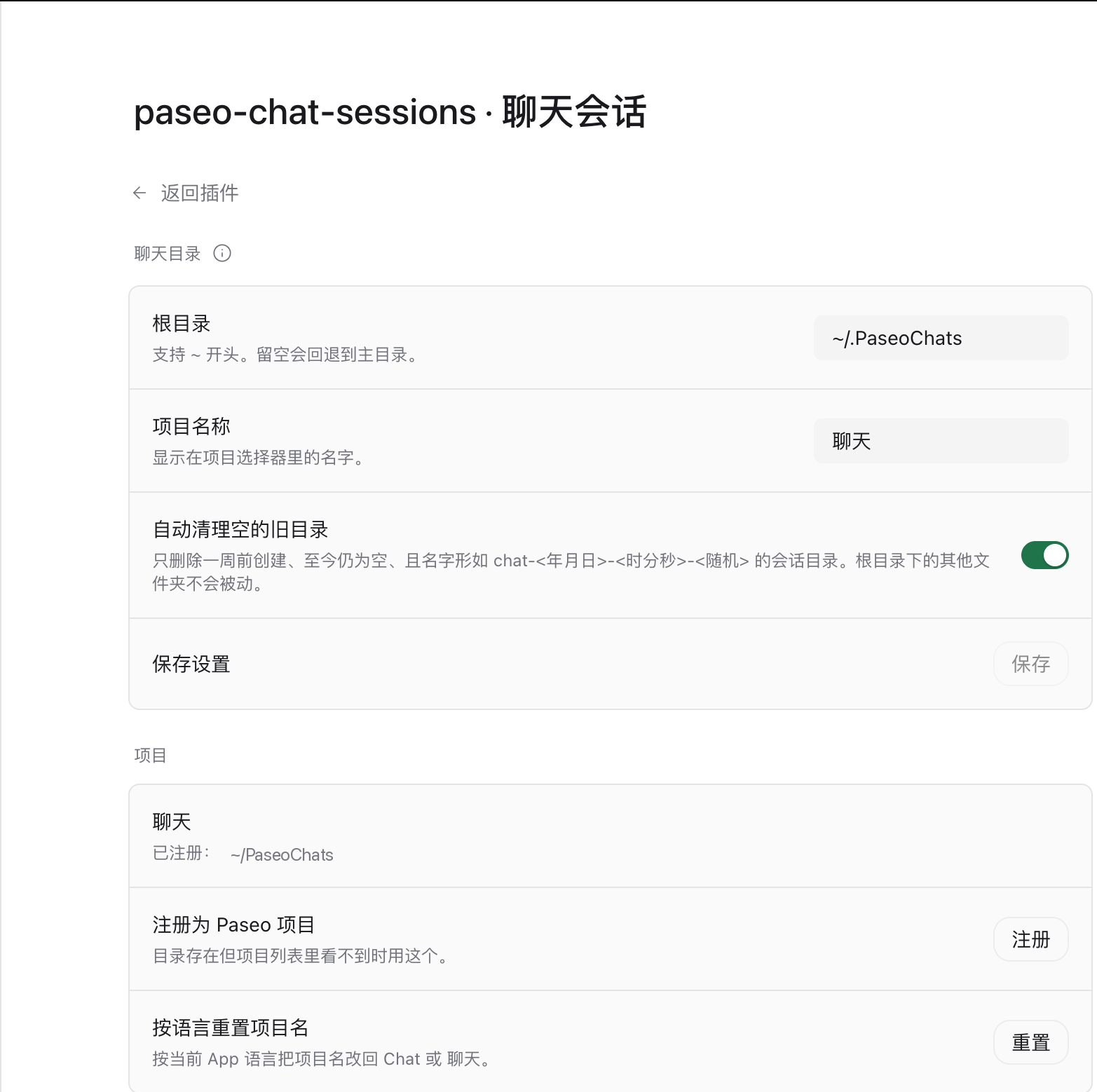
Adds a scratchpad project to Paseo's project picker. When you start a session in that project, the plugin creates a fresh child directory under a root you choose, and the session runs there. It keeps throwaway questions, prompt experiments and one-off scripts out of your real repositories.
How it works
The plugin registers the root directory (default ~/.PaseoChats) as a Paseo project and names it. When you pick that project on the new session screen, Paseo asks for a workspace at the root; the plugin rewrites the request to a new chat-<date>-<time>-<random> child directory, so every session gets its own folder. All of those folders stay inside the one project, so the sidebar does not fill up with projects.
Session directories start empty and are not git repositories, so they produce no diffs or branches.
Settings
Settings, then Plugins, then this plugin:
- Root directory: where session directories live. A leading
~is expanded. - Project name: the label in the project picker.
- Clean up empty directories: delete
chat-<date>-<time>-<random>session directories that were created a week ago and are still empty. Directories touched within the week are left alone, and anything else under the root is never deleted — the plugin only removes directories whose name it generated. - Register as a Paseo project: register the directory by hand when the project list does not show it.
- Reset project name to app language: rename the project to
Chator聊天following the app language.
The interface follows the app language. The project name does not: it is data the daemon stores, shared by every client and by the CLI, so it is fixed once written. Opening the settings screen in another language leaves it alone until you press the reset row.
Permissions and limits
The plugin runs with your permissions on the daemon host. It creates directories under the configured root, deletes its own empty old session directories, and runs paseo project to register or rename the project. It does not read session content, does not use the network, and writes nothing outside the directories it created.
Creating workspaces through workspace.create.before needs a daemon that exposes lifecycle hooks. Sessions you add inside an existing chat workspace keep sharing that workspace's directory; only starting a session from the project picker creates a new one.