
Clisbot vs Claude Desktop
Claude Desktop is Anthropic's app for Claude Chat, Cowork, and Claude Code on macOS, Windows, and Linux.
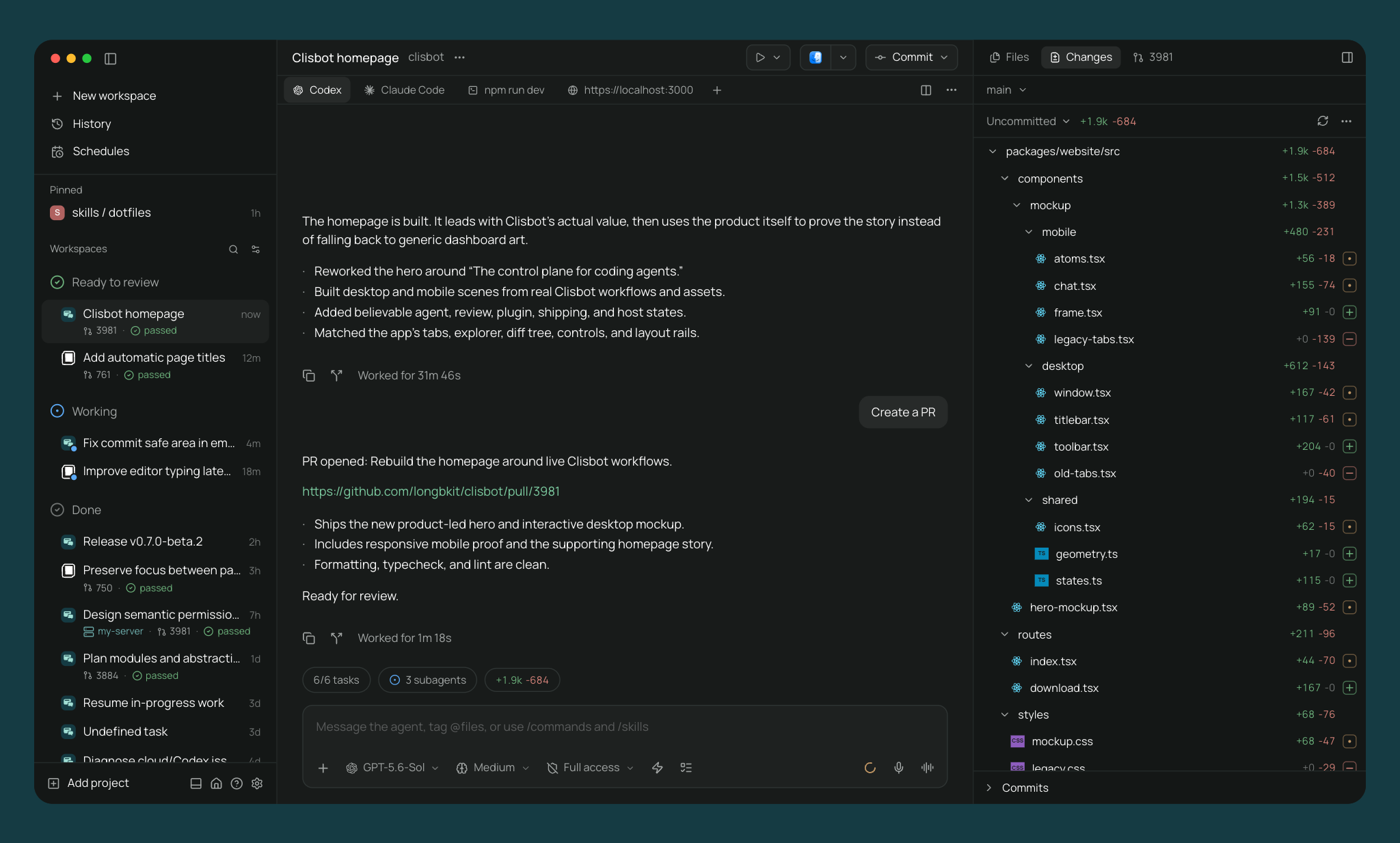
Clisbot is an open source agentic development environment. Run parallel agents in separate worktrees, edit files, review diffs and pull requests, and test your app with terminals and a built-in desktop browser. Available on desktop, mobile, web, and CLI under Apache-2.0.
The main difference
Claude Desktop is Anthropic's first-party interface for Claude and requires a Claude account. It can run Claude Code locally, over SSH, or on Anthropic's infrastructure.
Clisbot is an open source control plane that runs on machines you control. It does not require a Clisbot account, collect telemetry, or depend on a Clisbot cloud service. Connect directly from desktop, mobile, web, or the CLI, or use the optional end-to-end encrypted relay when the daemon is behind a firewall.
Clisbot does not upload or store your code. The relay cannot read your code, messages, or agent output. You can also self-host the daemon, web client, and relay.
Architecture
Clisbot runs an independent daemon on your laptop, workstation, VM, home lab, or cloud machine. Its clients connect directly or through the optional end-to-end encrypted relay. The daemon launches your installed providers with their existing credentials, skills, MCP servers, and project configuration.
Claude Desktop is the Anthropic-controlled host application. Claude Code can run locally, connect over SSH, or use Anthropic-managed cloud sessions.
Providers
Claude Desktop runs Claude Code.
Clisbot runs Claude Code too, plus Codex, OpenCode, Pi, Antigravity, and Muse Code natively, plus 30+ more agents through the in-app catalog including GitHub Copilot, Cursor, Gemini CLI, and Amp. Clisbot speaks the Agent Client Protocol, so any ACP agent works. Custom providers run any CLI agent. See all supported providers.
Application plugins
Clisbot plugins extend Clisbot itself. They can add server behavior and native client components such as workspace panels, sidebar items, composer attachments, themes, and Command Center items across desktop, browser, iOS, and Android.
Claude Desktop does not document an application extension API for adding both server behavior and native client components.
Desktop platforms
Both Claude Desktop and Clisbot are available on macOS, Windows, and Linux.
Mobile
The mobile app is the full app, native on iOS and Android, with full feature parity with desktop.
Claude has iOS and Android apps. Dispatch can start local Claude Code work through an active Claude Desktop host or start a cloud session on Anthropic's infrastructure.
Panes
Both tools support visual coding workflows around Claude Code.
Clisbot's app has split panes and tabs (⌘D for vertical, ⌘⇧D for horizontal). Panes include agents, terminals, a diff viewer, and a browser for testing running services.
Claude Desktop has a graphical Code tab with sessions, integrated terminal, file editor, visual diff review, live app preview, PR monitoring, and scheduled tasks.
GitHub
Clisbot's app handles commit, push, opening PRs, watching checks and reviews, and merging.
Claude Desktop can monitor pull request status and can fix failures or merge when checks pass, depending on the workflow and permissions.
CLI and automation
Claude Code has its own CLI, IDE integrations, web surface, scheduled tasks, and cloud sessions.
Clisbot's CLI controls the same daemon as the app:
clisbot run --provider claude "implement OAuth"
clisbot run --provider codex --worktree refactor-auth "refactor auth"
clisbot run --host devbox:6767 "run the test suite"
clisbot ls
clisbot send <agent-id> "add tests"
clisbot schedule create --provider codex --mode auto-review --cron "0 9 * * 1" "audit the codebase"
clisbot run --host connects to a remote daemon. clisbot schedule runs an agent on a cron. The MCP server lets other agents create worktrees, launch agents, open terminals, and send prompts.
Worktrees and services
Both tools support parallel coding sessions, including Git worktrees.
Clisbot also gives each worktree its own dev server URL. Two agents running their dev servers at the same time get web--fix-auth--my-app.localhost and web--add-search--my-app.localhost instead of port collisions.
Voice
Clisbot supports dictation and realtime voice mode. Speech-to-text and text-to-speech can run locally on your device.
Claude supports voice in Claude's own mobile and app surfaces. Claude Code itself is available in Claude Desktop, terminal, IDE, web, and mobile Remote Control workflows.
Comparison
| Clisbot | Claude Desktop | |
|---|---|---|
| License | Open source (Apache-2.0) | Not published as open source |
| Account required | No | Claude account |
| Desktop app | Yes (one click install, daemon bundled) | Yes (macOS, Linux, Windows) |
| Mobile app | Yes (native, full parity with desktop) | Claude app (Dispatch and Cowork) |
| CLI | Yes (everything the app does) | Yes (Claude Code CLI) |
| Remote machines | Yes (install the daemon anywhere) | Yes (SSH host, Anthropic-managed cloud sessions) |
| Built-in relay | Yes (opt-in, end-to-end encrypted, no account) | Anthropic Remote |
| Direct network access | Yes (LAN, Tailscale, VPN) | - |
| SSH access | Yes | Yes |
| Providers | Claude Code, Codex, OpenCode, Pi, Antigravity, Muse Code, 30+ more | Claude Code |
| Parallel agents | Yes (isolated worktrees, across machines) | Yes (Git worktrees) |
| Terminal agents | Yes (run any agent in a terminal, get notified when it finishes) | - |
| Agent orchestration | Yes (agents create worktrees and launch other agents, across providers) | - |
| Editor | Yes | Yes (file editor) |
| Terminals | Yes | Yes |
| Diff review | Yes (comments go to the agent) | Yes |
| Pull requests in app | GitHub, GitLab, Gitea, Forgejo, Codeberg | PR monitoring and merge workflows |
| In-app browser | Yes (element picker, agent browser tools) | Yes (live app preview) |
| Per-worktree dev server URLs | Yes (web--fix-auth--my-app.localhost) | No |
| Schedules and heartbeats | Yes | Yes (scheduled tasks) |
| Plan usage | Yes | - |
| Plugins | Yes (new screens, panels, agent hooks, and providers, one plugin runs on desktop, web, and mobile) | No |
| Voice | Yes (local dictation, realtime voice) | Yes (in Claude's mobile and app surfaces) |
| Telemetry | None | - |
See also: Clisbot vs Codex App, Clisbot vs OpenCode Desktop, Clisbot vs Conductor.