
Session Guard
Pause Paseo agents at their session quota and continue them after reset.

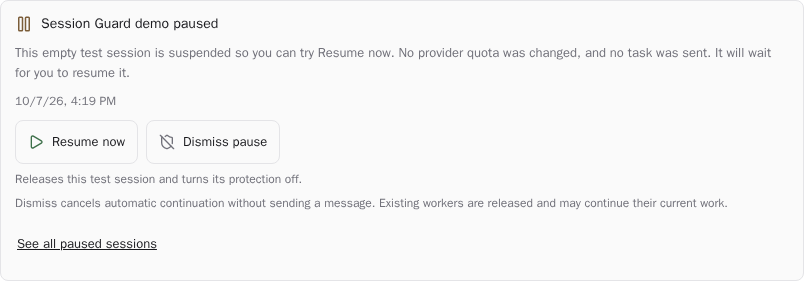
Session Guard pauses agents at their provider's session quota and continues the same conversations after capacity returns, even while the Paseo app is closed. Protection is enabled for all sessions by default. The composer pill lets you opt a session out; the sidebar and amber workspace labels show paused work. Timeline cards offer Resume now and Dismiss pause, both of which cancel automatic recovery and opt that session out.
Requires Paseo 0.14.0 or newer on each protected host. By default, the plugin checks usage every 15 seconds, pauses at 100%, and waits for a fresh below-threshold report plus a 30-second grace period before continuing. Detection follows Paseo's cached provider-report timing. Settings control the threshold, host default, automatic continuation, and native subagent coverage.
On Linux, Claude and Codex process trees, including native subagents and tools, can pause and resume in place after ownership checks through /proc. On other hosts, disable Include native subagents to use foreground interruption and one continuation message. Other providers need a supported session window. Already-sent requests cannot be undone, and suspended tools may time out or hold locks.
The plugin reads usage through Paseo's authenticated daemon connection, can stop and resume owned processes, and sends continuation messages to the existing conversation. Pause state lives under $PASEO_HOME/plugin-data/session-guard/, and protection preferences use Paseo plugin settings. Continuation messages are handled by the existing agent and its selected provider, which can be remote. Saved pauses survive daemon restarts, but a full restart cannot preserve live worker processes. New user messages, explicit stops, and opt-outs cancel automatic recovery. The screenshot shows a native pause demo without changing a provider quota.
Interactive Claude and Codex agents can read their effective protection, their own pending pauses and provider reset times through the status tool. Those results go to the calling agent and its model provider; they exclude other agents’ pauses and continuation text, and cannot disable protection or resume work. The session label plugin-tools/enabled: "false" disables these tools. Command-K links to the overview, display settings and protection settings; display settings can hide the sidebar and composer button without disabling protection.