
Auto Pin
Automatically pin new Paseo workspaces, with defaults and rules for individual projects.

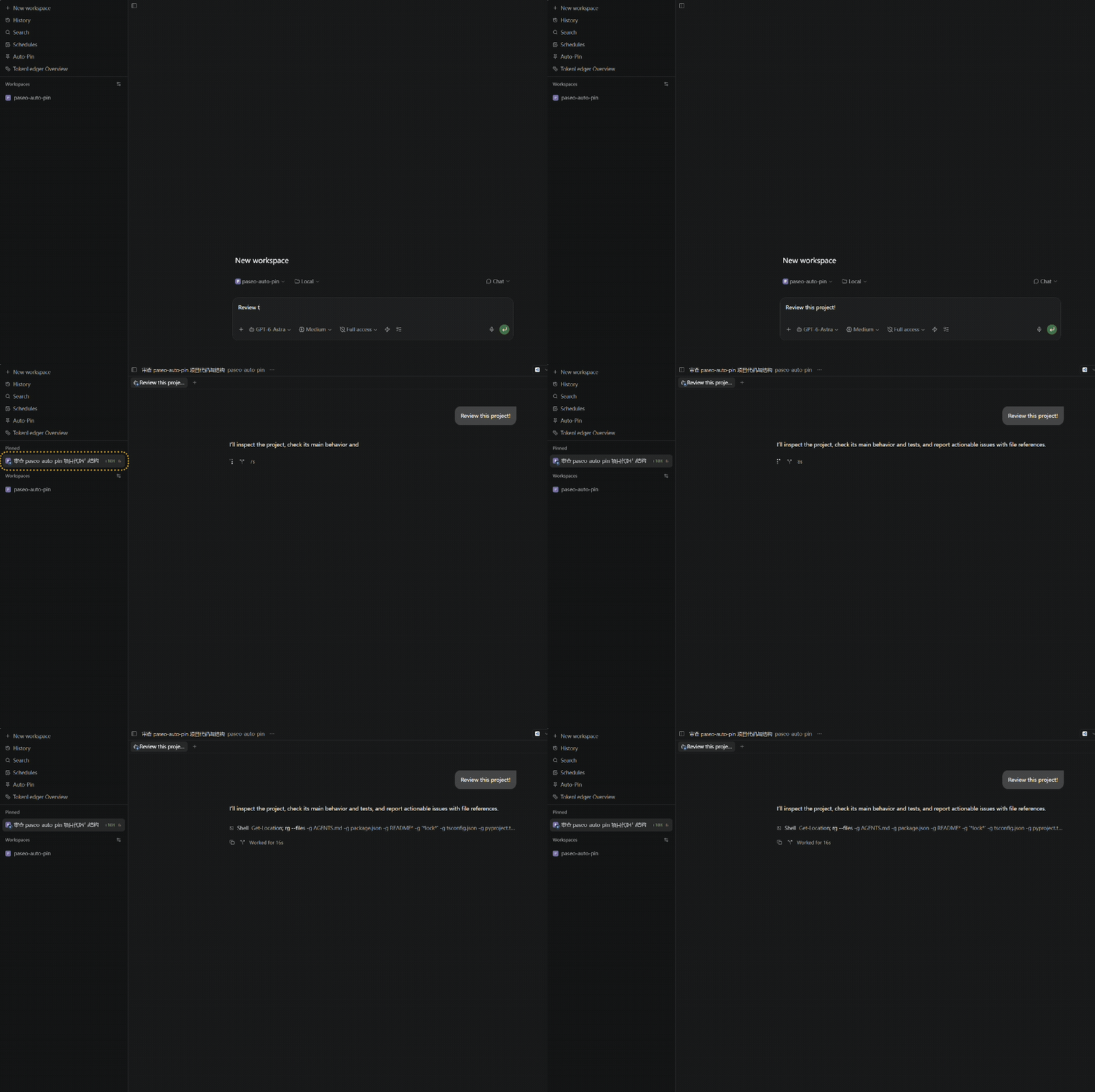
Auto-Pin pins each new Paseo workspace automatically, so it appears in the Pinned section of the sidebar. It runs in the background whether or not its panel is open, and starts with auto-pin on for every project.
Pin new workspaces by default is the global switch. Each project can override it with Follow default, Always (pin even when the switch is off), or Never (leave unpinned even when it is on). Rules apply to new workspaces in that project, worktrees included. Existing workspaces are unchanged, restoring an archived workspace does not pin it, and the plugin never unpins anything. To pause it completely, disable the plugin.
The default switch and project rules are stored in the plugin's own data file under the Paseo home directory. To pin, the plugin connects to the configured Paseo daemon endpoint, which must be reachable from the daemon process. If it is not, the pin fails and the error is logged. The plugin makes no other network connections.
On Paseo 0.9.2 a new pin can briefly disappear from the sidebar before it returns. Requires Paseo 0.9.1 or later.
This plugin entry was imported from paseo.cafe.