
Vscode Open Remote
$ clisbot plugin add panrafal/vscode-open-remote

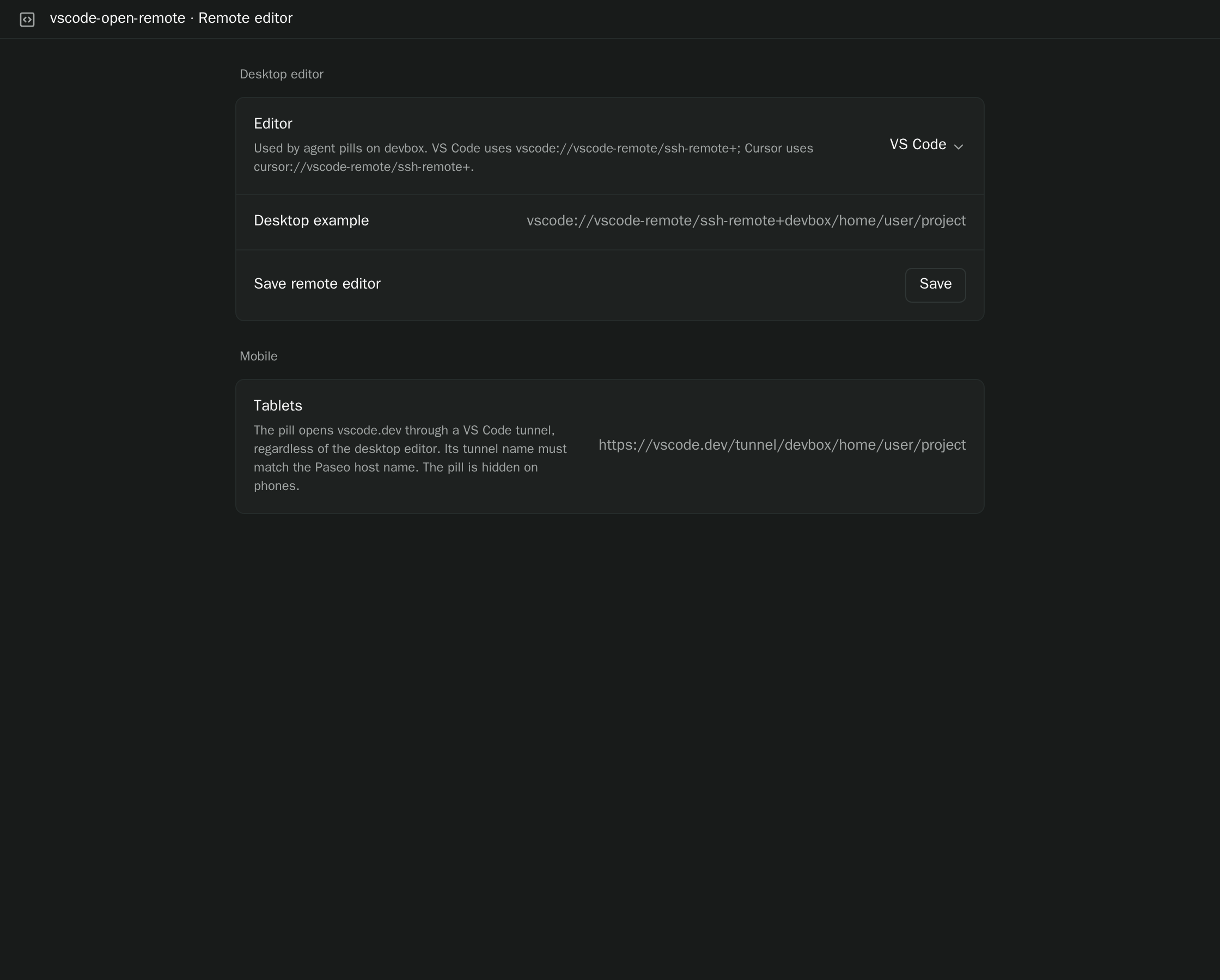
Remote Editor adds an Editor pill to the composer of each agent. Pressing it opens the agent's working directory in your editor, using the Paseo host name to reach the machine. The link opens only when you press the pill, and the plugin makes no network requests of its own.
Setup
- Desktop uses an SSH link for VS Code (the default), Cursor, or a custom URI prefix that you choose in the plugin's settings. The desktop machine needs VS Code Remote - SSH or Cursor Remote SSH, and the Paseo host name must resolve in its SSH config.
- Tablets open
vscode.devthrough a VS Code tunnel. A tunnel must already be running on the daemon machine, with a tunnel name that matches the host name in Paseo. - Phones do not show the pill.
The pill is added by the plugin's daemon, so it appears for the agents of every Paseo host where the plugin is active, including your local host. The editor choice is saved on the daemon and shared by its clients.
Requires Paseo 0.7.2 or later, and a client that supports plugin settings screens.
This plugin entry was imported from paseo.cafe.