
Connected Hosts
A Paseo plugin that manages the daemon's connected hosts from the UI.

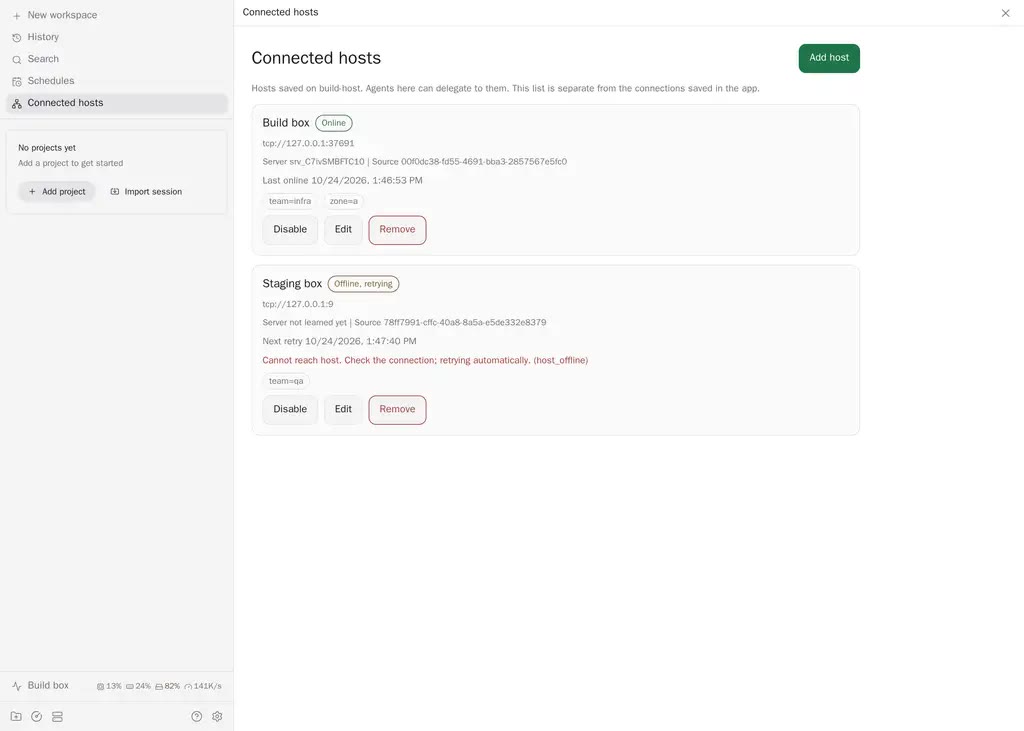
Connected hosts manages the hosts saved on the daemon you are working in, from a Connected hosts screen. It adds a sidebar row and a Command Center action, "Manage connected hosts".
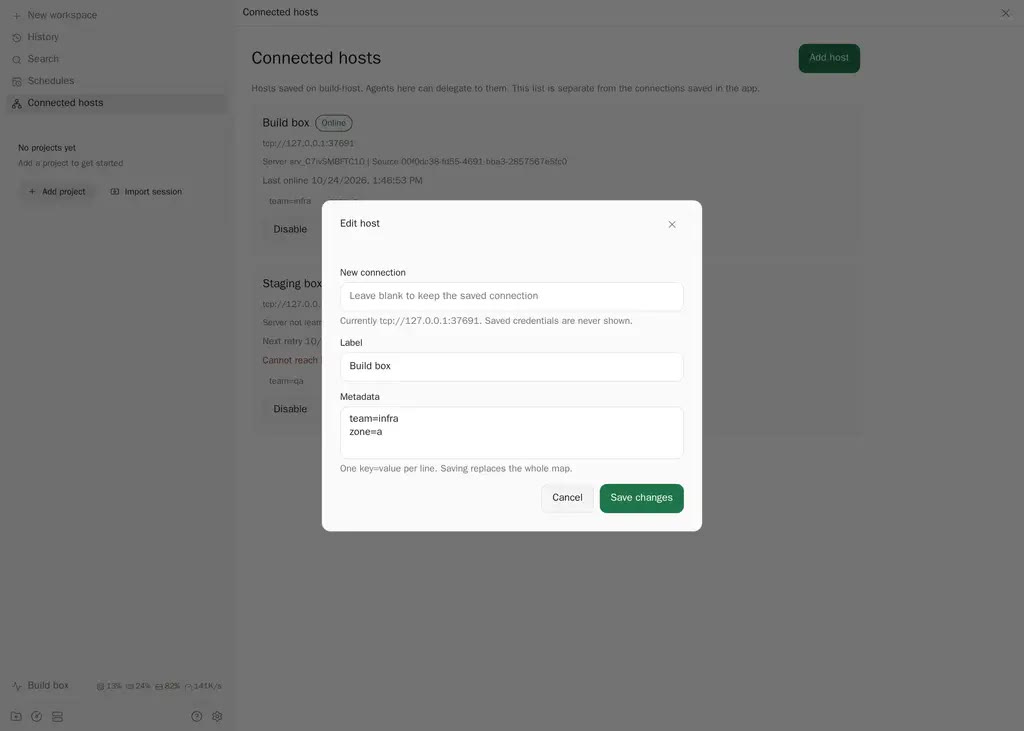
Each saved host shows its label, connection status, the safe description of where it connects, the server ID once learned, what registered it, its metadata, when it was last online, when the next retry happens, and the last connection error. Status updates live. From the screen you can add a host, edit its label, metadata and connection, disable and re-enable it, and remove it.
The list is the daemon's own registry, the same one paseo host and agent tools such as list_hosts use. It is separate from the connections saved in the app, and it always describes the host selected in the screen's host picker. Changing the picker shows that daemon's registry.
Connections are written as the CLI accepts them, for example host:6767 or ssh://user@host. A host that cannot be reached is still saved and retried automatically. A host that is reachable but rejected (failed authentication, a different daemon identity, this daemon itself, a duplicate, or a daemon without the feature) stays in an error state until you disable and re-enable it, or save a new connection. A connection is write-only: the daemon never returns saved credentials, so the edit form shows the safe description and leaves the connection untouched unless you type a new one.
Replacing a connection keeps the host's pinned identity. If the new connection reaches a different daemon, the new connection is saved but the host shows an identity error and stays disconnected. To accept the new daemon, edit the host, enter the connection again and tick Accept a different server identity. The daemon refuses an identity change without a connection, so the field cannot be left blank.
Metadata is a set of key=value lines and saving replaces the whole map. Only fields you change are sent, so editing a label never rewrites metadata.
Who may change what follows the daemon's own rules. Adding, editing and removing need tunnel management. Changing a connection or metadata, and removing, also need the registering producer or access management. The screen cannot see your grants, so every action is shown, and a refused change shows the daemon's message and leaves the host as it was. Removing a host that another process registered lets that process add it again; disabling keeps the host saved and switched off. Removing a host does not stop agents already running on it, but this daemon can no longer reach them.
Both daemons need the connected hosts feature, and the link between them needs host multiplexing.
Requires Paseo ^0.13.0 || ^0.14.0.