
Annotations
Comment on any part of an agent's answer, like reviewing a doc

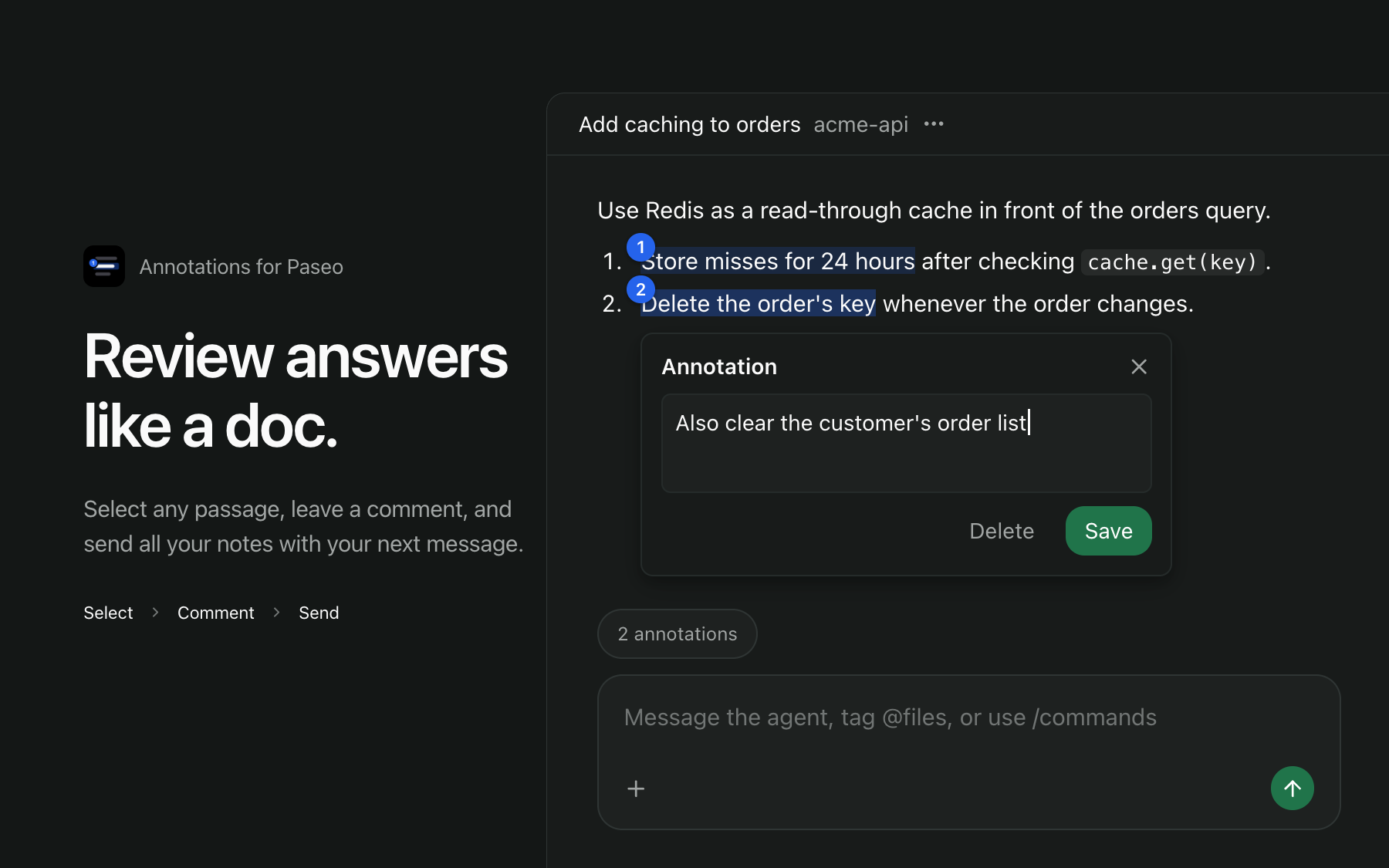
Annotations lets you comment on parts of an agent's answer and send those comments with your next message, the way you would review a document.
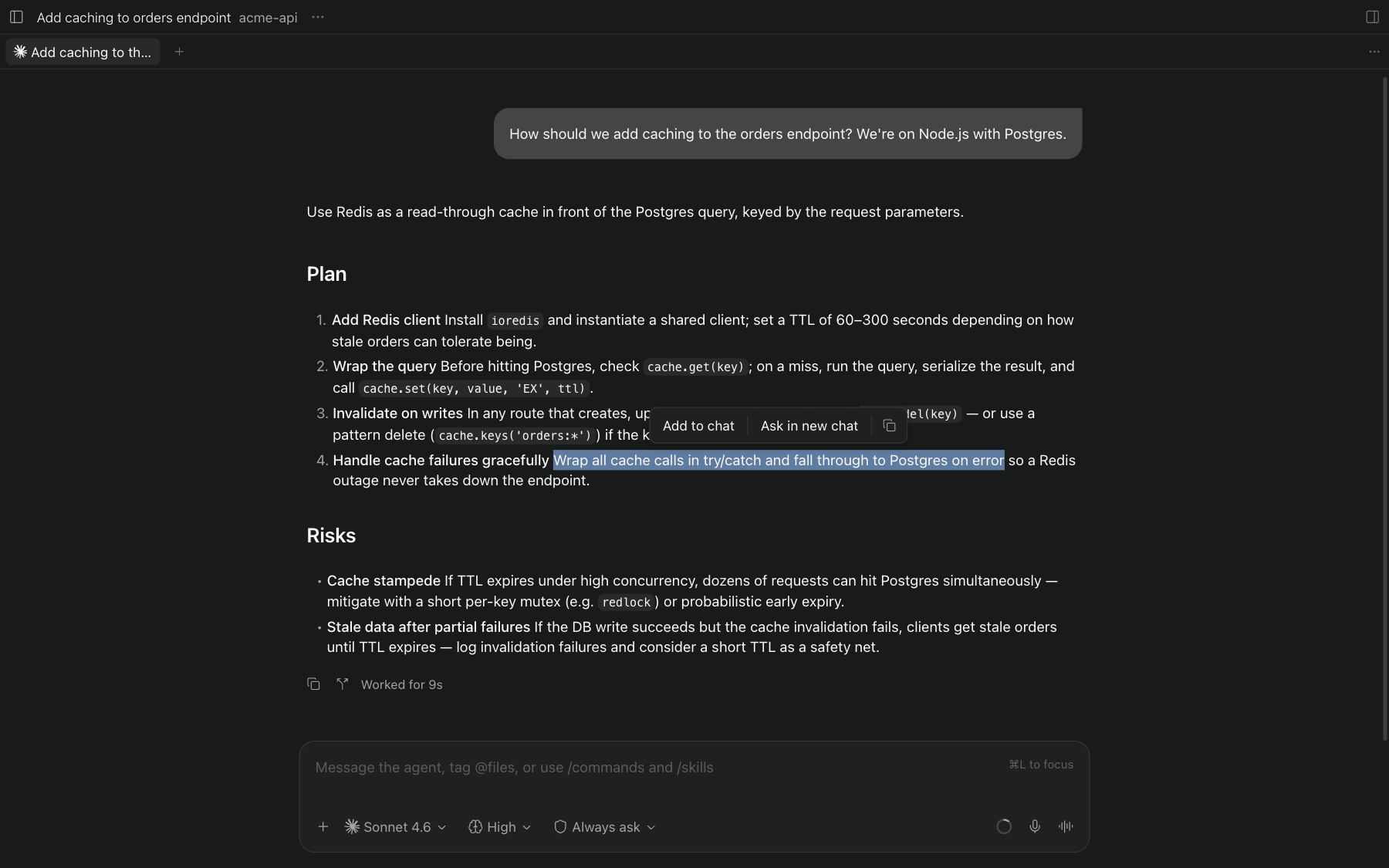
Select text in a chat and a small toolbar appears:
- Add to chat opens an annotation card like the one Paseo shows for browser elements. Write a message about the selection and press Enter (Shift+Enter for a new line), or click outside the card to keep it as is; Escape discards it. The annotation then waits in a "1 annotation" pill above the message box until you send your next message, which carries every waiting annotation in the same block format Paseo uses for annotated browser elements.
- Ask in new chat opens the same card for a question and starts a new agent beside the current one, with the same provider, model, mode, and thinking level. The new agent receives the recent conversation as instructions so your question has context, and nothing is sent until you send it. Clicking outside this card only closes it.
- Copy copies the selection as Markdown.
While the card is open the selected text stays marked in the chat. Waiting annotations get numbered blue badges on their passages. Click a badge or the tinted text to edit or delete an annotation. The pill opens a panel like Tasks and Subagents that lists the waiting annotations, with Clear all and Send now below them.
Where it works
Selecting text, highlights, badges, and adding annotations to your message work in the desktop app and in the browser. On iOS and Android the pill and its panel work, but text selection uses the system menu, which a plugin cannot extend.
Paseo has no plugin API for chat selections or the message box, so the plugin reads the app's page markup. A later Paseo release can break it until the plugin is updated. Requires Paseo 0.11.1 or later.
Data
Annotations, with the quoted text and your comments, are stored on the daemon in plugin-data/annotations/annotations.json inside the Paseo home directory. They are sent to an agent only as part of a message you send. Sent annotations keep their highlight until you delete them.