
Zerosub
ZeroSub: use several Claude and ChatGPT (Codex) subscriptions side by side in Paseo. Add accounts in-app, pick one per agent, and switch automatically when an account hits its limit.

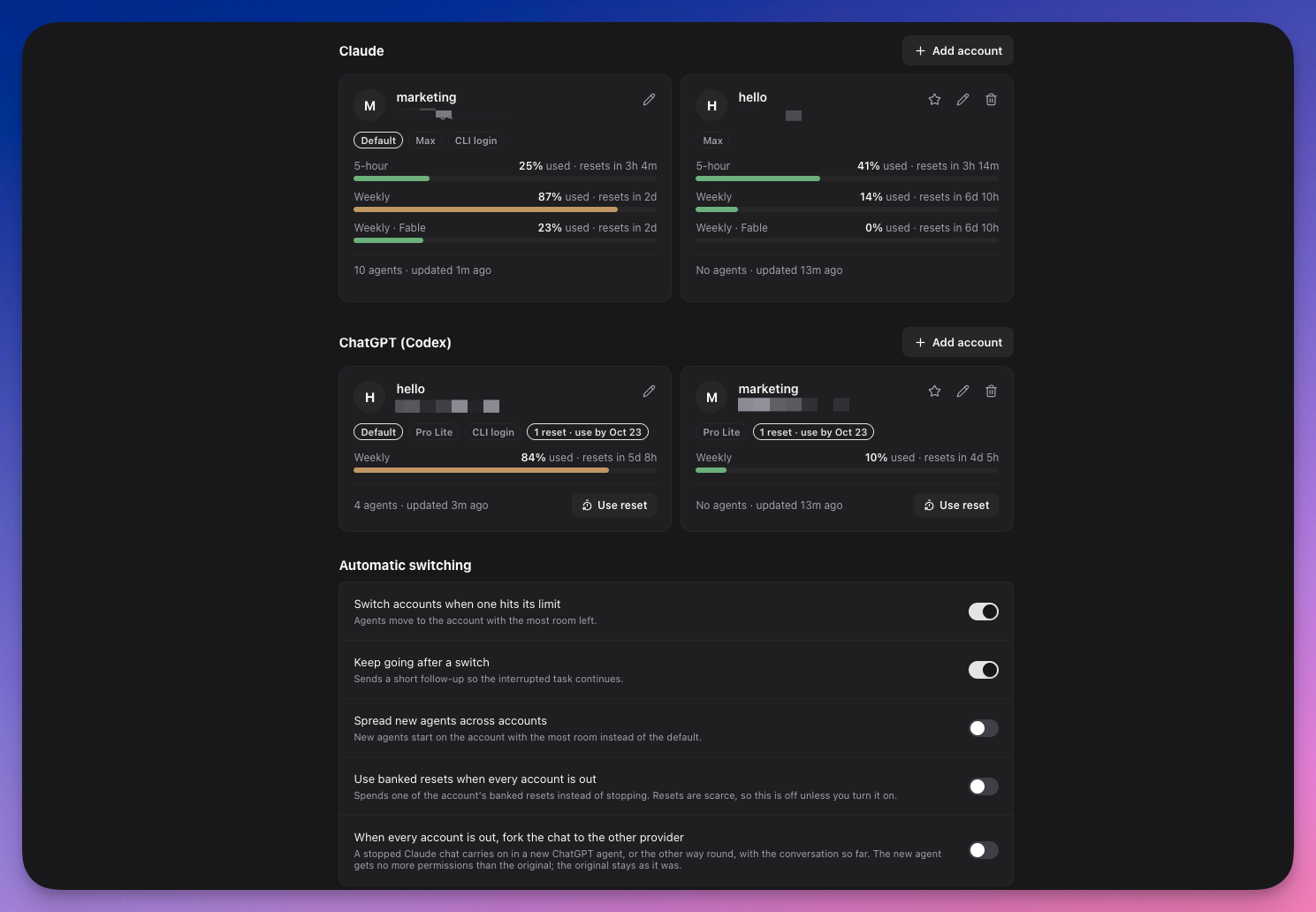
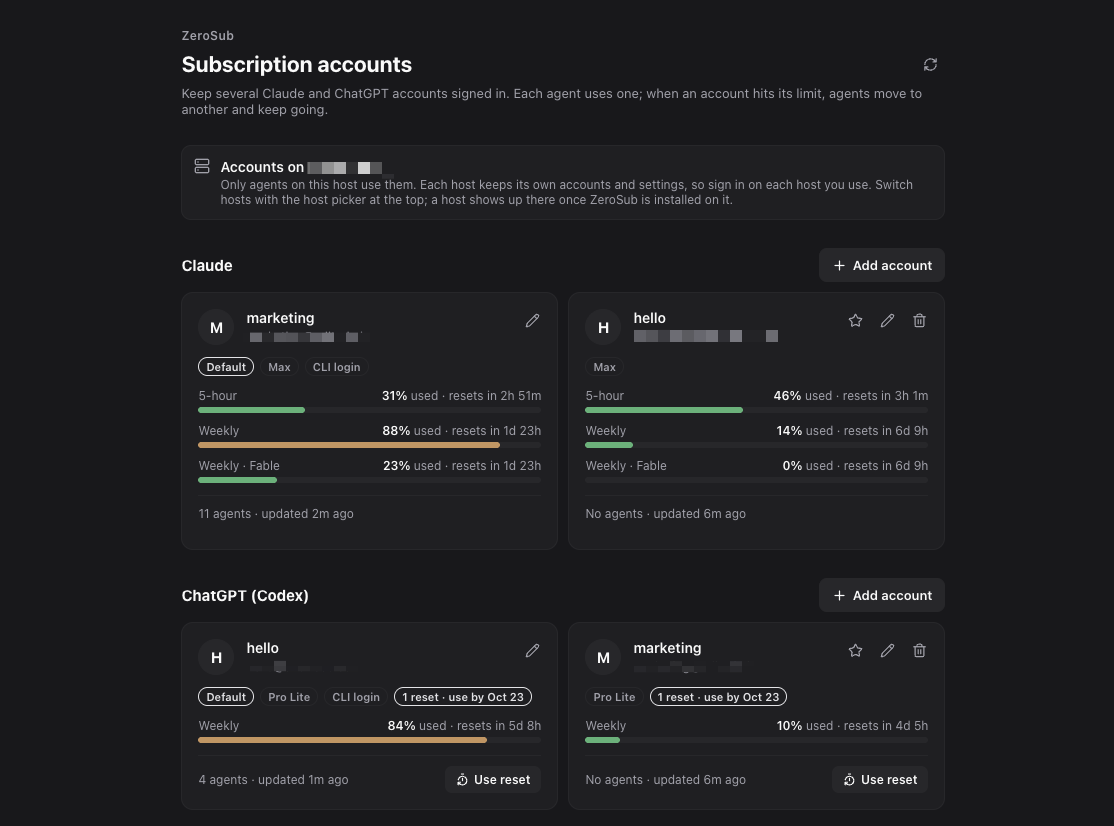
ZeroSub lets Paseo agents use several Claude and ChatGPT (Codex) subscriptions on one host. You choose an account per agent, and when an account hits its usage limit the agent can move to another one. Your existing claude and codex CLI logins appear automatically as the default accounts.
Setup
The claude and/or codex CLI must be installed where the daemon runs. Add accounts under Accounts (ZeroSub) in the sidebar, which runs the official CLI sign-in. A browser sign-in only completes when a browser can reach the daemon's computer, so on servers, containers or SSH-started daemons, or from another device, use the code option. Each host keeps its own accounts and settings, and sign-ins are never copied between hosts, so sign in again on each host that should use an account.
Switching
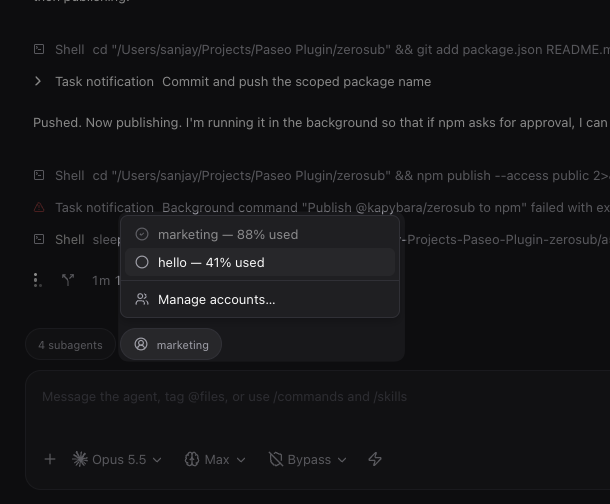
Each Claude or Codex agent gets an account button in its message box once a provider has two or more accounts, and /account <name> does the same from the keyboard. Automatic switching is on by default: when the CLI reports a usage limit, an idle agent moves to the account with the most room left and a timeline note says so, and a busy agent moves after its turn.
A Claude conversation moves in place and keeps its history. A Codex thread cannot change accounts, so ZeroSub starts a continuation agent in the same workspace on the other account, seeded with the conversation so far. Disabling an account likewise leaves existing ChatGPT threads on it.
Two options are off by default. One spends a provider's banked limit reset automatically, with no per-reset confirmation, when every account of that provider is out. The other continues a stopped chat on the other provider (Claude to ChatGPT or back) in a new agent with no more permissions than the original. You can also use a banked reset by hand, and that always asks for confirmation first.
Access and limits
Each added account gets its own credential home inside the daemon's data folder, and sessions on that account run with CLAUDE_CONFIG_DIR or CODEX_HOME pointed at it. Settings, skills and conversation history are shared with your main CLI home, while credentials and caches stay per account.
To show Claude usage and use resets, the plugin reads each account's OAuth token from the macOS keychain or a .credentials.json file and sends it to api.anthropic.com. It does not store the token. An explicit usage refresh or a reset may run claude -p /usage so Claude Code renews an expired sign-in. Codex usage and resets go through codex app-server. Removing an account signs it out and deletes its credential home.
- If your shared Claude settings set an
apiKeyHelperor an API-key environment, every account uses that key instead of its subscription. - Switching restarts the agent's session through
paseo agent reload, which cannot authenticate on a password-protected daemon. There the switch takes effect the next time the session starts. - Claude usage for an idle account is its last reading until the account is used or you refresh, and Anthropic rate-limits that endpoint.
This plugin entry was imported from paseo.cafe.