
Open in Terminal
Open the current workspace or worktree in your terminal app on macOS

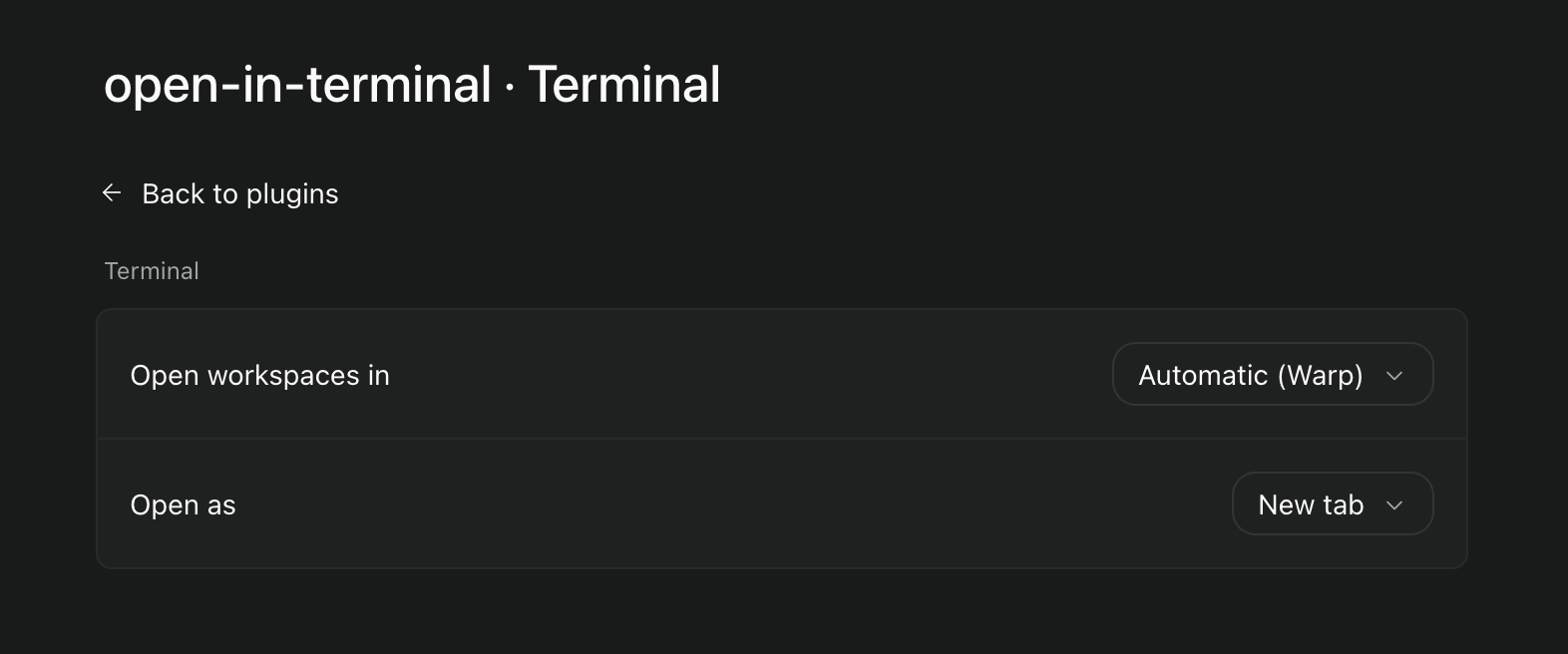
Open in Terminal opens the current Paseo workspace in your own terminal app. For a worktree that is the worktree checkout, so you can run commands there without copying paths around. It adds a terminal button to each workspace header and an "Open in terminal" item to the Command Center.
Supported terminals are iTerm2, Warp, Ghostty, WezTerm, kitty, Alacritty and the built-in Terminal. Choose one under Settings, Plugins, Open in Terminal, or leave it on Automatic, which uses the first installed app in that order. The same screen chooses between a new tab and a new window. kitty, Alacritty and Terminal always open a new window.
The terminal opens on the machine running the Paseo daemon, also when you press the button from a phone or another computer. The plugin only supports macOS daemons and needs Paseo 0.11.4 or later. Ghostty tabs and windows need Ghostty 1.3 or later; older versions get a new tab. The first time it opens iTerm2 or Ghostty, macOS asks whether Paseo may control that app. iTerm2 opens your default profile and runs cd into the directory.
The plugin reads the workspace directory and starts the terminal app. It sends nothing over the network.