
Firstmate
Paseo plugin: talk to one first mate agent that runs a crew of Paseo agents in their own worktrees, with a live board of the crew


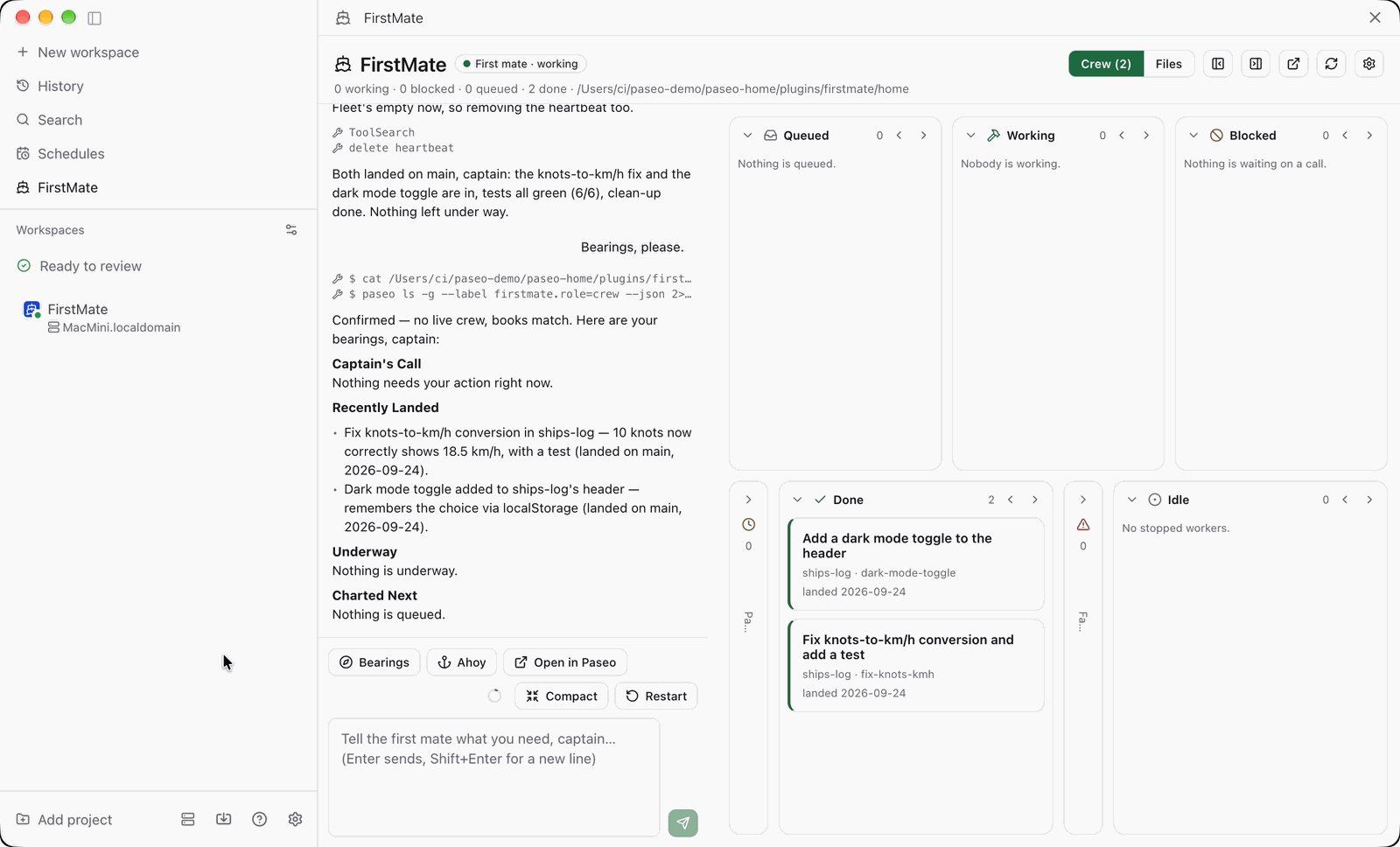
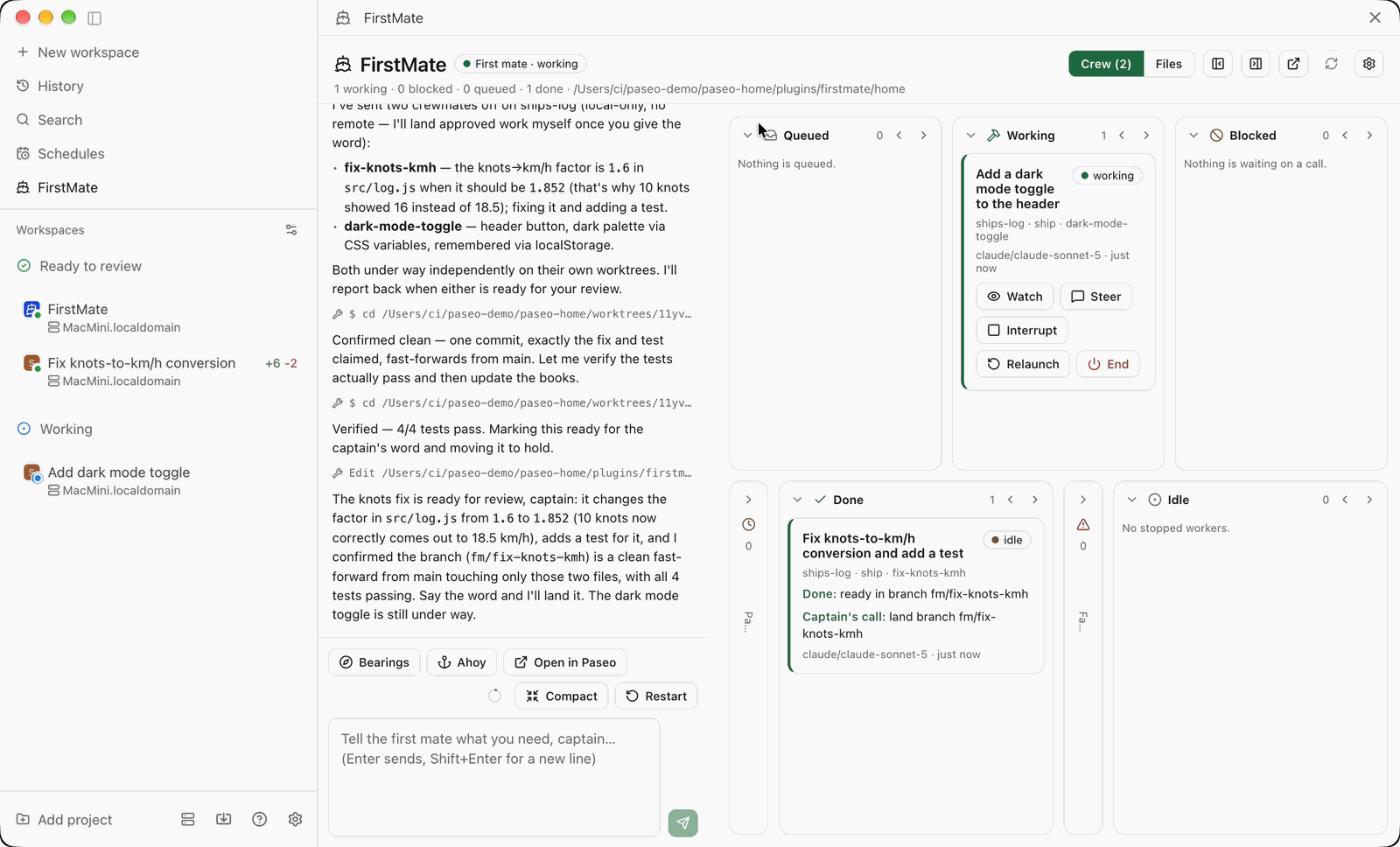
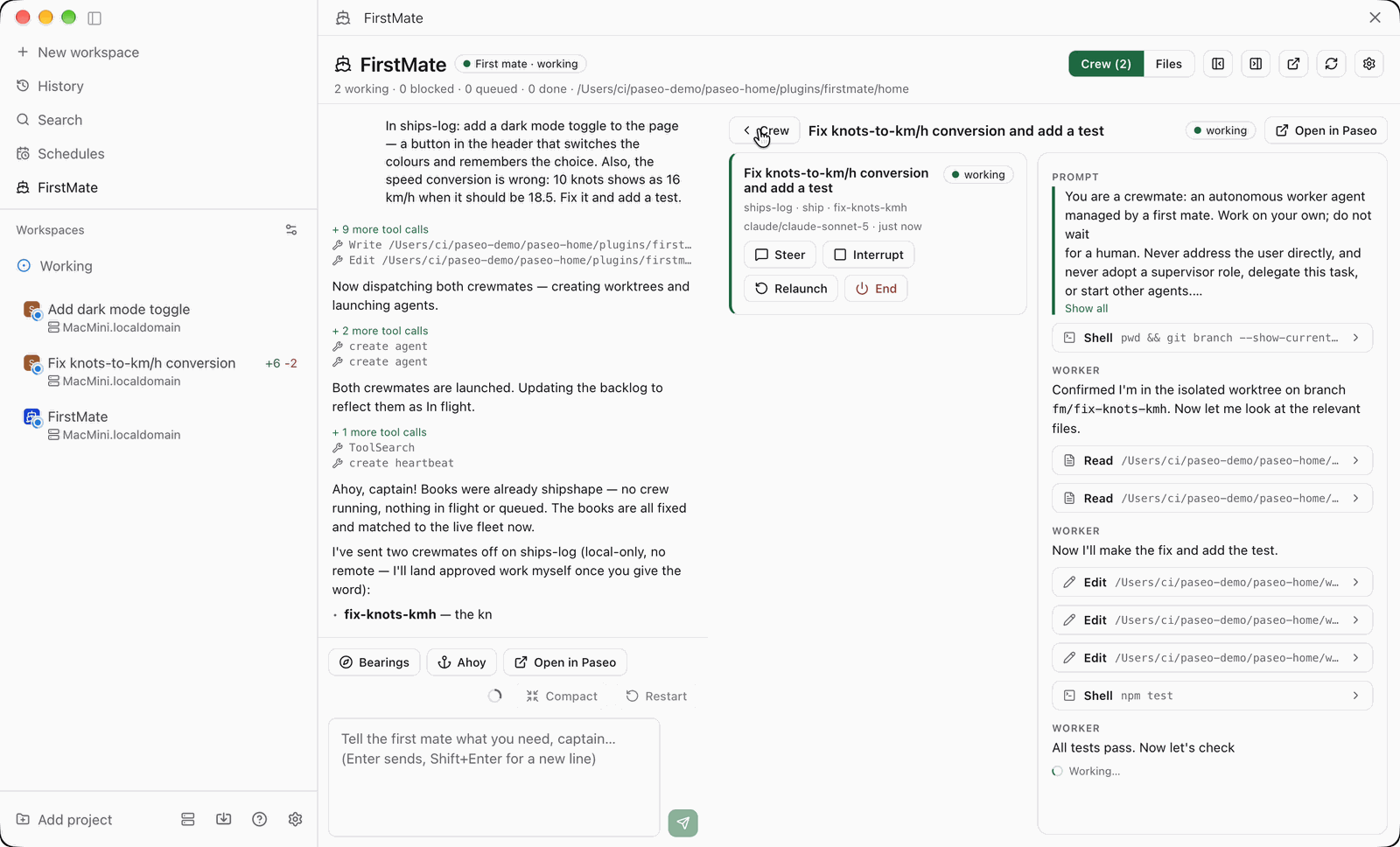
FirstMate lets you talk to one supervising Paseo agent, the first mate, which runs a crew of worker agents for you. It turns each request into a task, briefs a worker, follows it to the end, and reports back with pull requests, findings and the decisions it leaves to you. A FirstMate screen shows the chat with the first mate beside a board of its crew, where you can watch, steer, interrupt or archive a worker.
The plugin does not dispatch workers itself. It creates a home directory for the first mate containing a charter and records, then starts a first mate agent there, and the first mate starts workers with Paseo's own agent tools. The charter tells workers to stay in their own git worktree and branch, which keeps file changes in the repository apart but does not isolate ports, databases or other services they use. Each project has a delivery mode (a pull request, a reviewed pull request, or a local branch), and you can let the first mate merge green work on a project without asking. That grants it merge authority.
The charter's rules, such as never merging without your word and never writing to a project, are instructions in the agent's prompt and are not enforced by the plugin. The first mate runs in the permission mode you launched it with, and workers run in the crew mode you set in the plugin settings, or the one the first mate picks.
Setup needs Paseo 0.11.0 or newer, the paseo command on the daemon machine, and Paseo's agent tools turned on, which are off by default. The plugin offers to turn them on, which changes a daemon-wide setting (mcp.injectIntoAgents), so every agent session started afterwards on that daemon gets the tools, not only the crew's sessions. Sessions already running do not. The built-in pull request watch also needs gh logged in and Node.js.
The first mate's home is editable from the screen and defaults to a folder under the Paseo home directory, where the plugin also keeps its config. Files you attach in the chat are written under uploads/ in the Paseo home directory.
Removing a suggestion records it in data/suggestions-dismissed.md in the first mate’s home, keeping the newest 50 dismissals. The board hides matching prompt text after normalizing whitespace, and the charter tells the first mate to read this history before suggesting more work. Delete a dismissal line in Files to allow that suggestion again. Sending a suggestion does not dismiss it.
Watches are scripts in the home that run on a schedule on the daemon machine, unsandboxed with your user's permissions. What a script prints is delivered to the first mate as a note that it treats as your instruction, so a watch that relays text from others, such as pull request comments, must quote it. The included pr-watch polls the pull requests in the first mate's backlog with gh and reports merges, closures, reviews, comments and check changes. Progress is supervised through the charter's instructions to the first mate, not continuously, so a worker you prompt by hand in its own tab may go unnoticed until the first mate next checks the crew.
This plugin entry was imported from paseo.cafe.