
Theme Studio
Design Paseo themes and UI packs with a live preview, 60 starting palettes, and a companion designer agent.

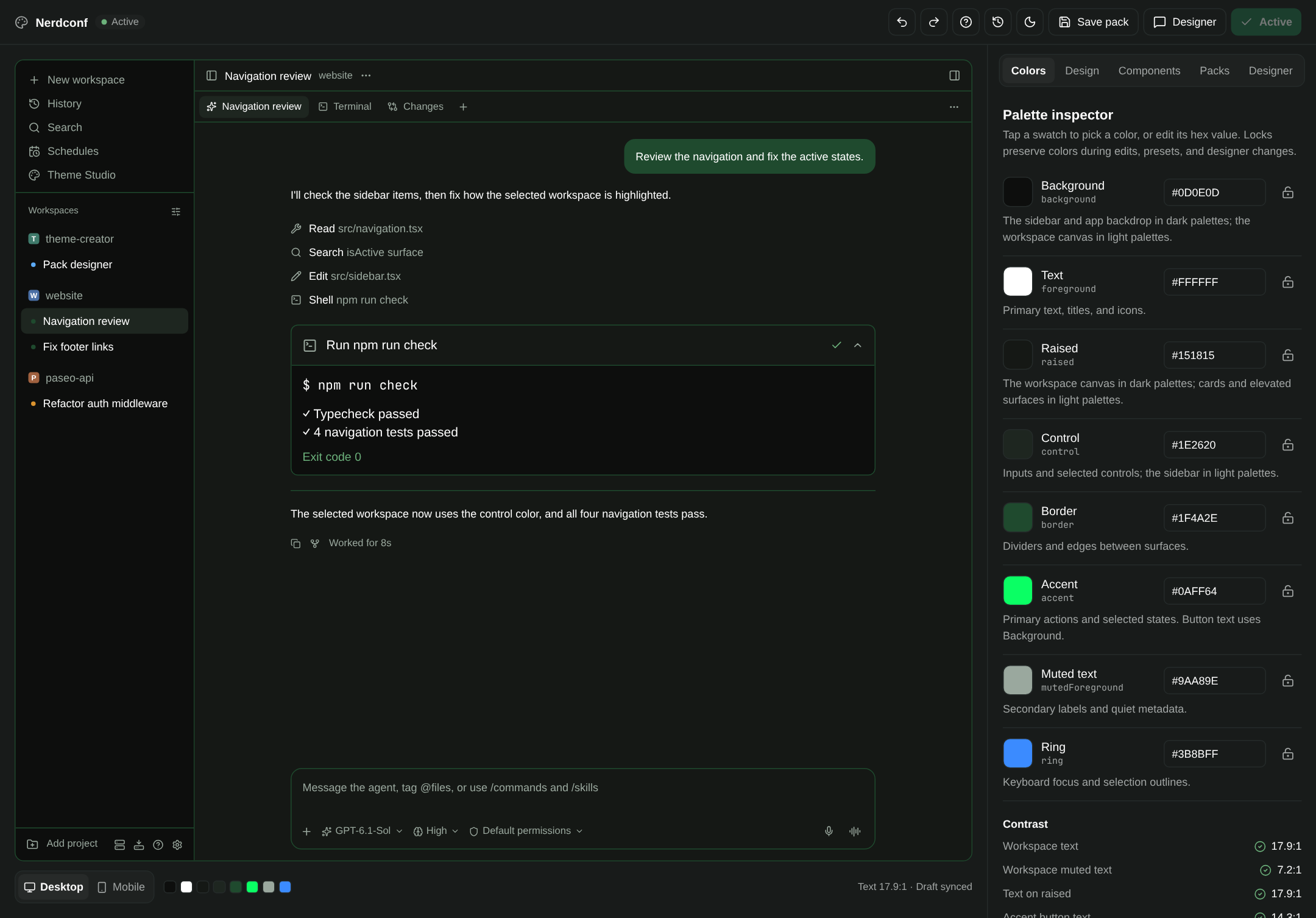
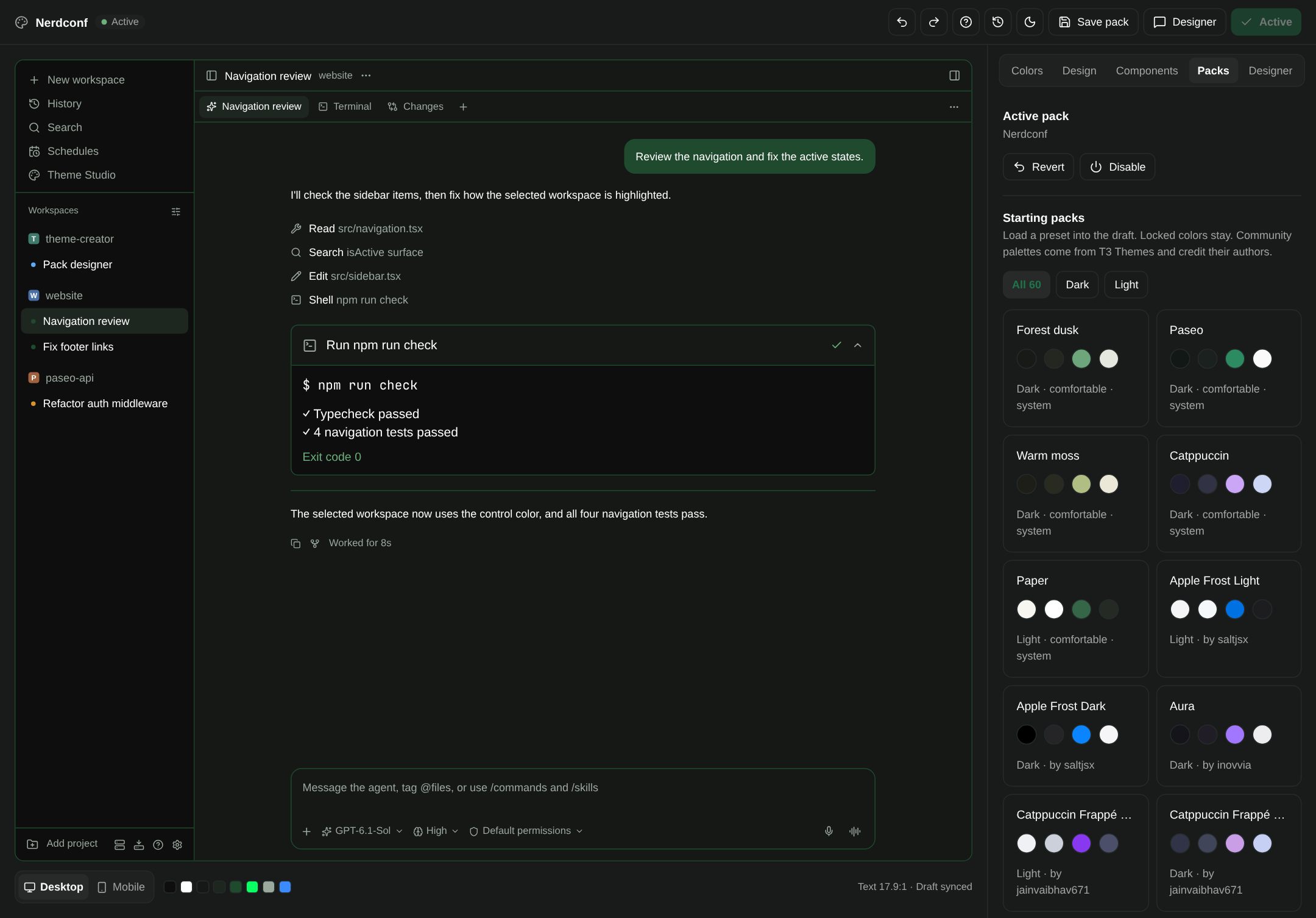
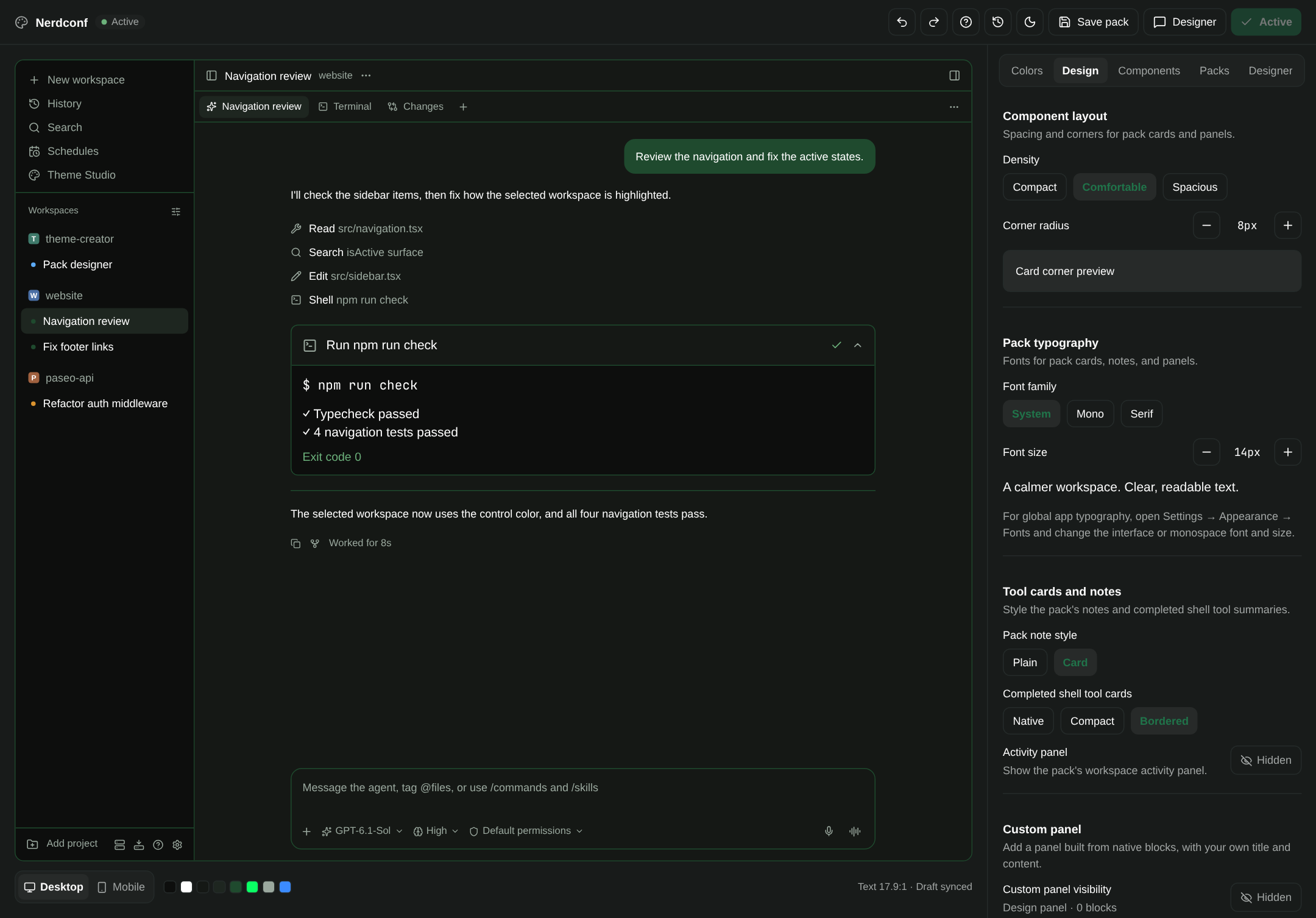
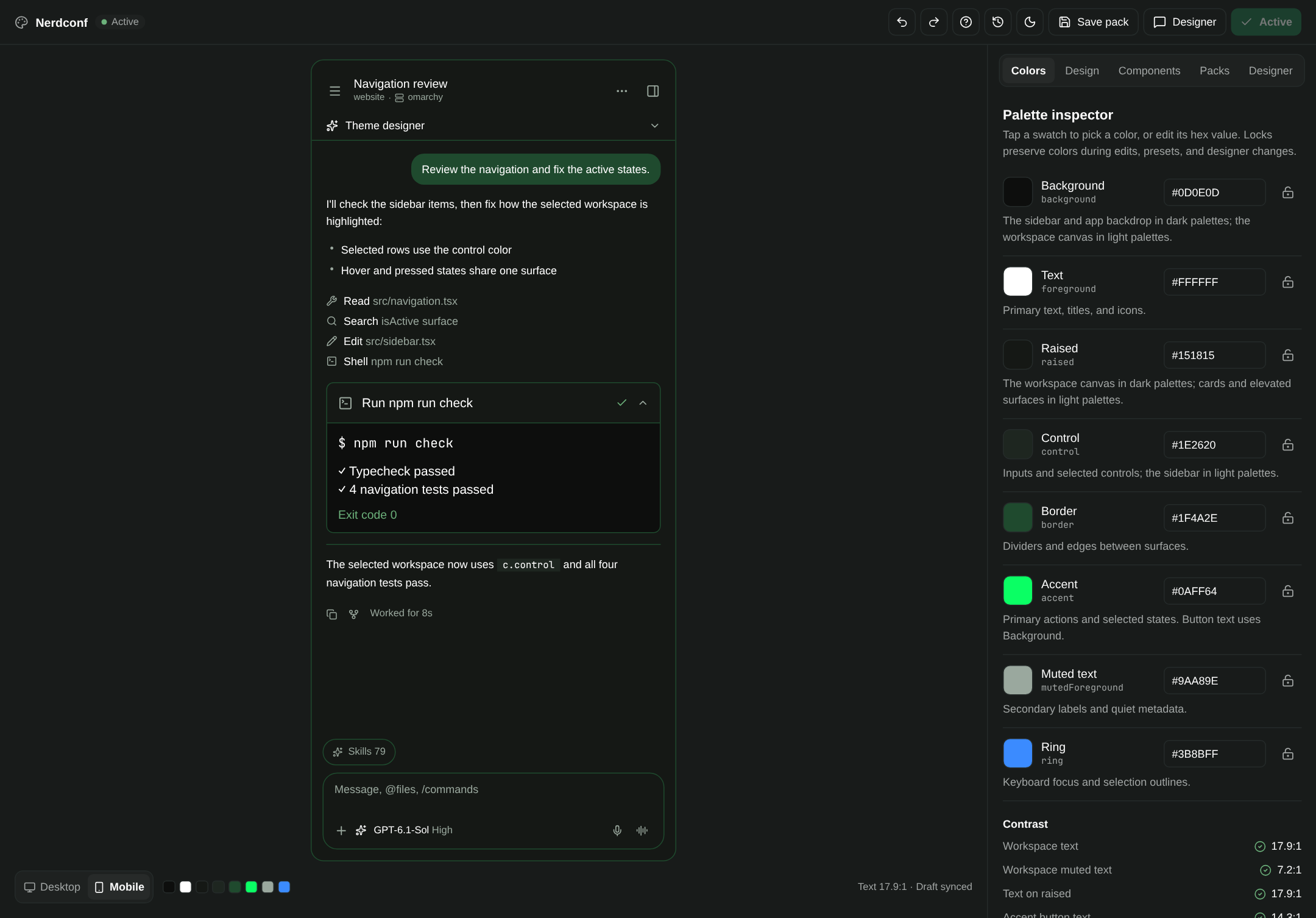
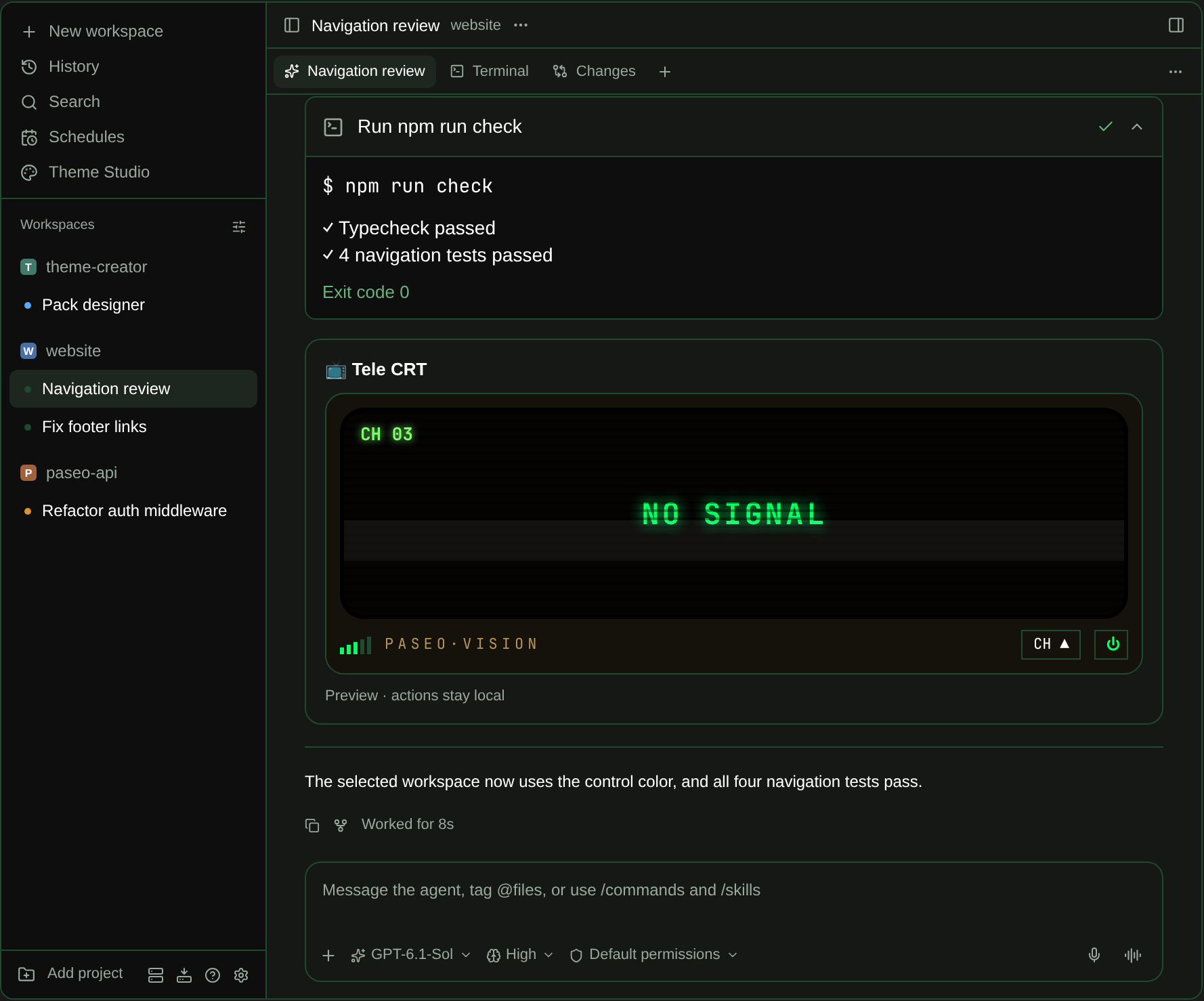
Theme Studio is a design workspace for how Paseo looks. It opens from the sidebar and shows a working replica of Paseo (sidebar, chat, tool rows, terminal, and composer, on desktop and mobile) that repaints as you edit. You change a draft, check it in the preview, and press Activate when you like it. Revert brings back the previous look.
A design is saved as a pack: the eight appearance colors, plus density, corner radius, fonts, the style of completed shell tool cards, and optional workspace panels built from text, stats, lists, and progress bars. There are 60 starting palettes. Five ship with the plugin and 55 are adapted from the T3 Themes community gallery, each shown with its author's name. Locks protect colors you want to keep, and a contrast summary flags text that would be hard to read.
Setup
Choose "Theme Studio · Live" once in Settings, Appearance so the active pack's palette applies across Paseo. Without it, the studio still works but only pack-owned surfaces change.
Designer agent
The Designer button creates a normal Paseo agent with a set of Theme Studio tools and opens its chat next to the studio. You can ask it for a look in plain words and it edits the same draft you do. It defaults to Codex and can be switched to Claude Code or OpenCode. It uses your configured provider, so its turns cost what any agent turn costs. The agent cannot activate a pack, unlock a color, or delete anything.
Components in agent chats
Agents can place interactive cards in their own chat: buttons, inputs, selects, toggles, lists, and progress bars. Pressing a button sends the event to the agent that owns the card, and the agent writes the result back. A card can carry a rule such as "after a command fails, show this", which connected agents check on their own.
Only the designer has these tools by default. "Connect your agents" is off until you turn it on. When on, it adds the Theme Studio tool server, its instructions, and its tool permissions to agents created afterwards on that host. Existing agents are left alone.
What it reads, writes, and runs
- Stores packs, components, and preferences in a
theme-studiofolder inside the Paseo home directory. - Runs a tool server on the loopback interface for its agents, with authenticated requests. It makes no other network requests.
- Runs the Paseo command line tool to find its own install folder and to reload itself after you activate code components.
- Reads the
PASEO_HOME,PASEO_BIN, andPASEO_AGENT_IDenvironment variables when they are set.
Limits
- Code components (React Native source written by you or an agent) and exporting a pack as a standalone plugin typecheck generated code, which needs a development checkout of the repository. They are unavailable in a registry install.
- Code components run as trusted plugin code. Activation shows the full source and requires your confirmation.
- Packs do not restyle native chat messages, syntax highlighting, terminal ANSI colors, or the global layout.
- The preview is modeled on Paseo 0.9.2 and can drift from newer versions.
- Tested on Linux daemons with the web and macOS clients. Windows is untested.