
Machine Status
Machine dashboard, open ports and Docker control inside Paseo
$ clisbot plugin add dutchakdev/machine-status

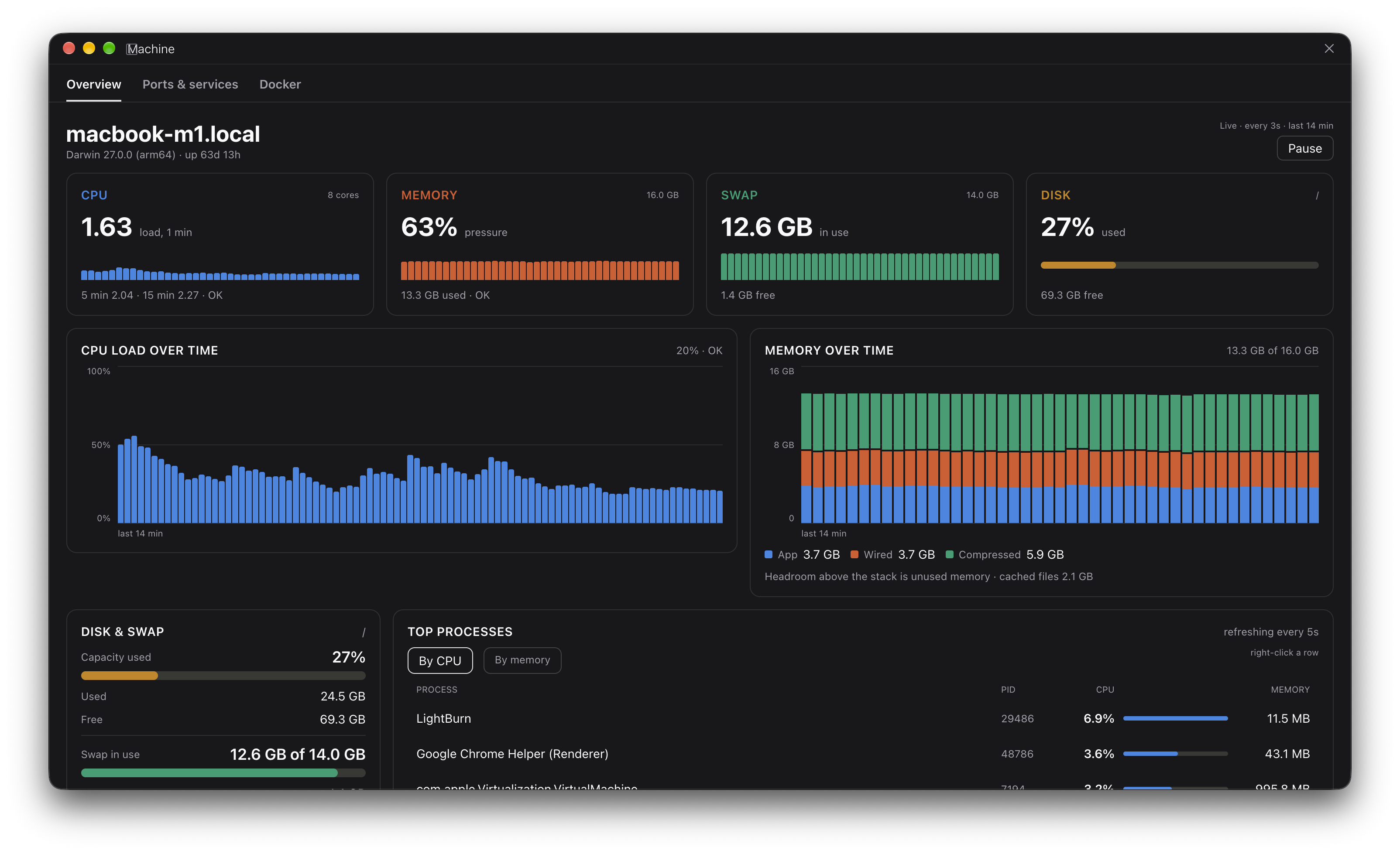
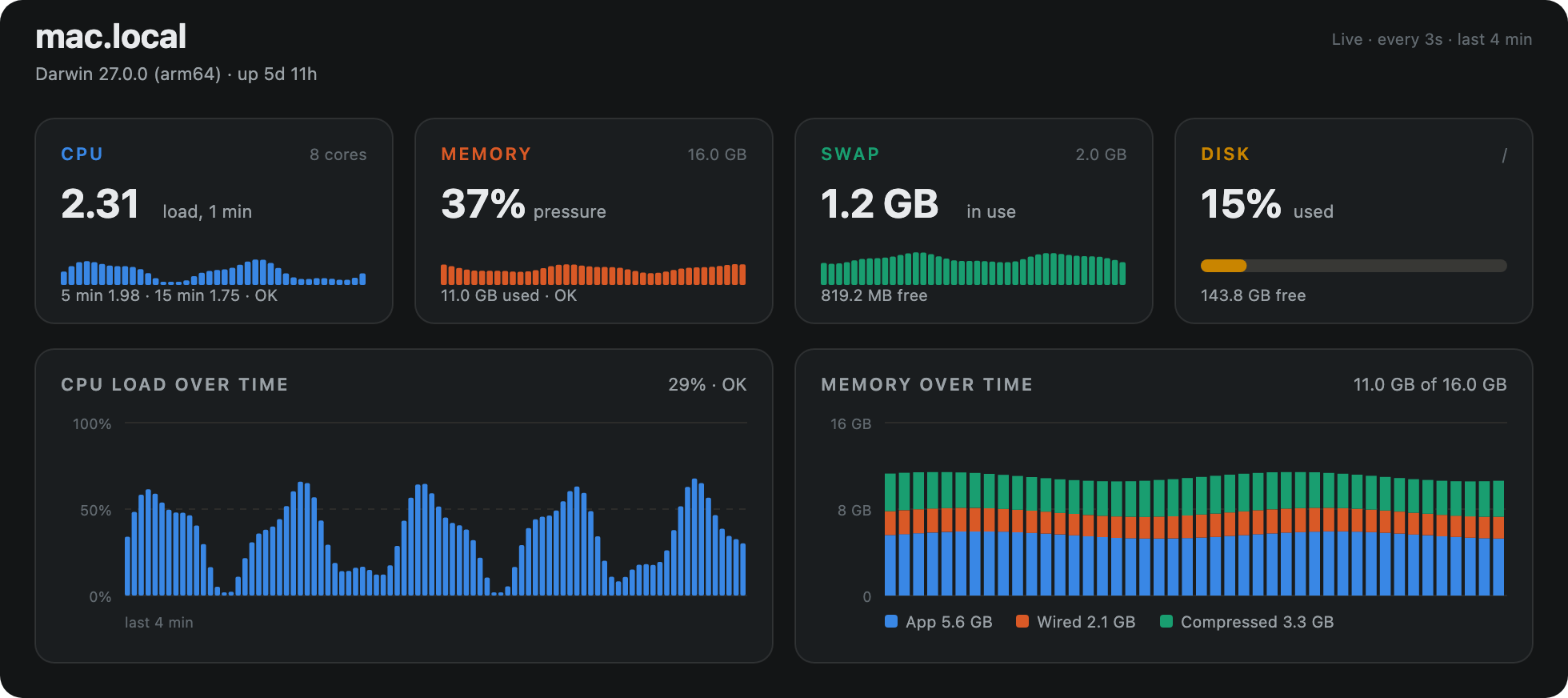
Machine Status shows what the daemon's Mac is doing while your agents work: CPU load, memory pressure, swap, disk, battery and thermal state, the ports and background processes your agents started, and the Docker engine. It also clears developer caches and stops runaway processes, with a confirmation step for each.
What you get
- Machine screen, opened from the sidebar or ⌘K. Overview has stat tiles that expand into detail, CPU and memory charts, a dev-cache scanner, and a process table. Ports & services lists listening ports and what runs behind them. Docker shows the engine, containers and disk usage.
- Load pill beside every agent's composer with CPU load and memory pressure. Pressing it opens a compact card with the trend, the top CPU processes, and the development ports held by agents, so you can tell whether the machine is the problem without leaving the chat.
- On Paseo 0.11 and newer, ⌘K can open the screen straight on Ports & services or Docker.
How it decides
- Memory follows Activity Monitor's split, and the pressure figure is macOS's own. Cached files are not counted as used.
- A background process belongs to an agent when it descends from the Paseo daemon in the process tree, not when its name looks like a provider. A port counts as a development port by its executable's path, not by its number. System ports are hidden until you choose Show system.
- Values the plugin cannot read are shown as missing rather than estimated. Per-core utilisation is not shown at all.
Setup
- A macOS daemon on Paseo 0.11 or newer. On other platforms the screen says it cannot collect metrics.
- Docker Desktop, OrbStack or Rancher Desktop for the Docker tab. Without one, the tab says which is missing.
What it can change
- Dev caches: only a fixed list of caches that their tools recreate (npm, pnpm, Yarn, Bun, Turbo, Xcode DerivedData, Cargo, Go, pip, uv). The client sends a cache id, never a path; each path must resolve below your home directory, and only its contents are removed.
- Processes: SIGTERM first, and force kill only as a separate confirmed step. Paseo and its parent processes are protected and checked again on every kill.
- Docker: start, stop, restart and remove containers, quit or start the engine, and prune stopped containers and dangling images. Volumes are never pruned.
Everything runs on the daemon through local commands such as vm_stat, ps, lsof, netstat and docker. Nothing is sent off the machine.