
gh stack
Paseo workspace panel for GitHub stacked PRs: see the gh stack your branch belongs to and switch the workspace between its branches.

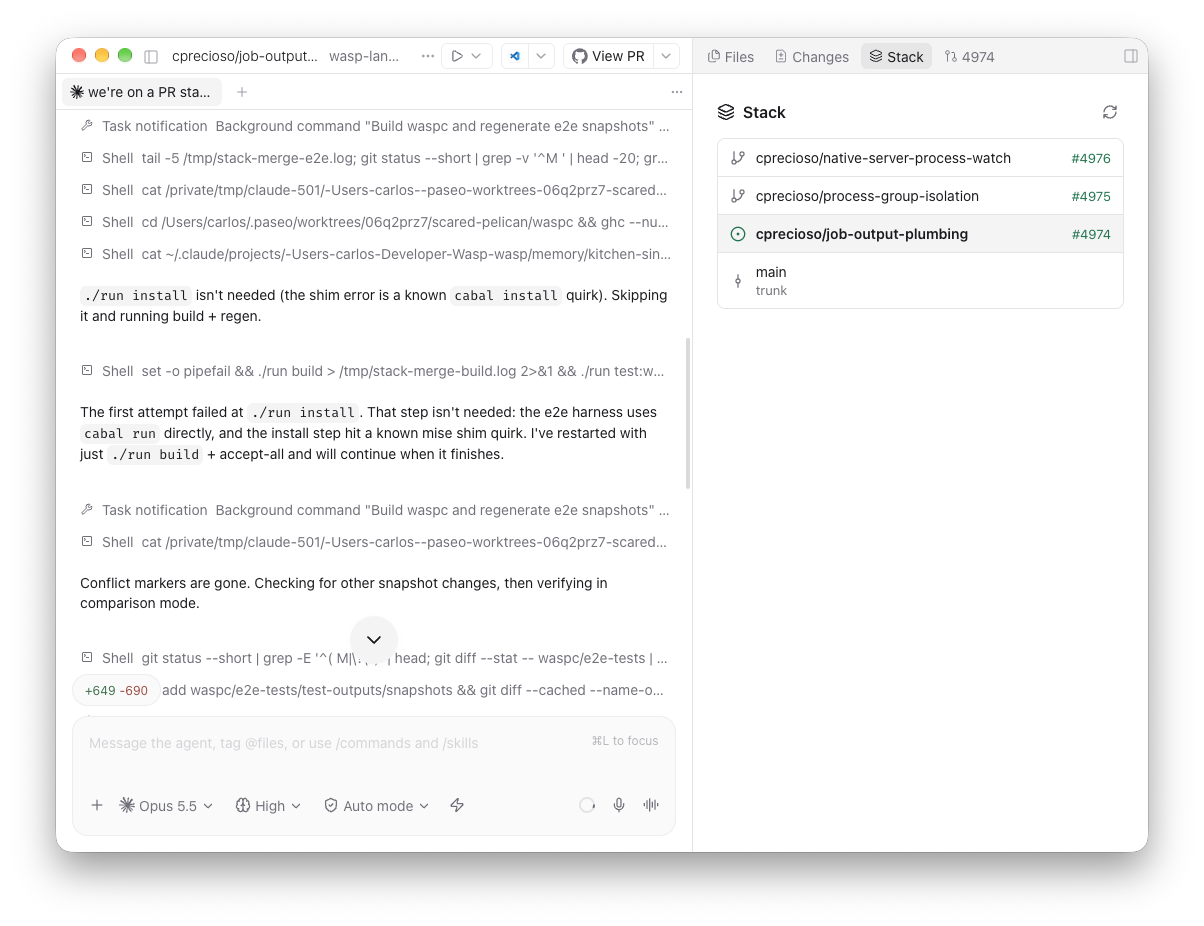
Shows the GitHub stacked PRs stack that a workspace's branch belongs to, and switches the workspace between the branches in it.
The Stack panel opens as a workspace tab or in the Explorer. It lists the stack from the top branch down to the trunk, with each branch's pull request number and whether it is merged, queued, or needs a rebase. Tap a branch to check it out in the workspace. The panel refreshes every 15 seconds, so branch changes made from a terminal or by an agent show up on their own.
When the branch is not tracked by gh stack locally, the panel looks up its pull request in GitHub's stacks and offers to check out the whole stack with gh stack checkout.
The Command Center adds Open stack, Stack: check out branch above, and Stack: check out branch below.
Setup
Requires Paseo 0.10.3 or later. The daemon host needs the GitHub CLI (gh), signed in to GitHub, and the gh-stack extension (gh extension install github/gh-stack). The panel tells you when either is missing.
How it works
The plugin runs gh and git on the daemon host, in the workspace directory, with your existing gh credentials. It talks to GitHub only through gh.
Limits
- Switching runs
git switch <branch>. Git refuses when uncommitted changes would be overwritten, or when the branch is checked out in another worktree; the error is shown as a toast. - Switching branches changes the files under any agent running in the workspace. The panel warns you when an agent is running.
- Stacks on GitHub are only found when the current branch has a pull request and the stack still has unmerged pull requests.
- Checking out a GitHub stack fails without prompting when it conflicts with a local stack; resolve it with
gh stack checkoutin a terminal.