
Transfer
Copy or move Paseo workspaces between hosts, with Git history, local changes, and agent conversations.

该插件的概览尚未翻译为你的语言,因此以英文显示。
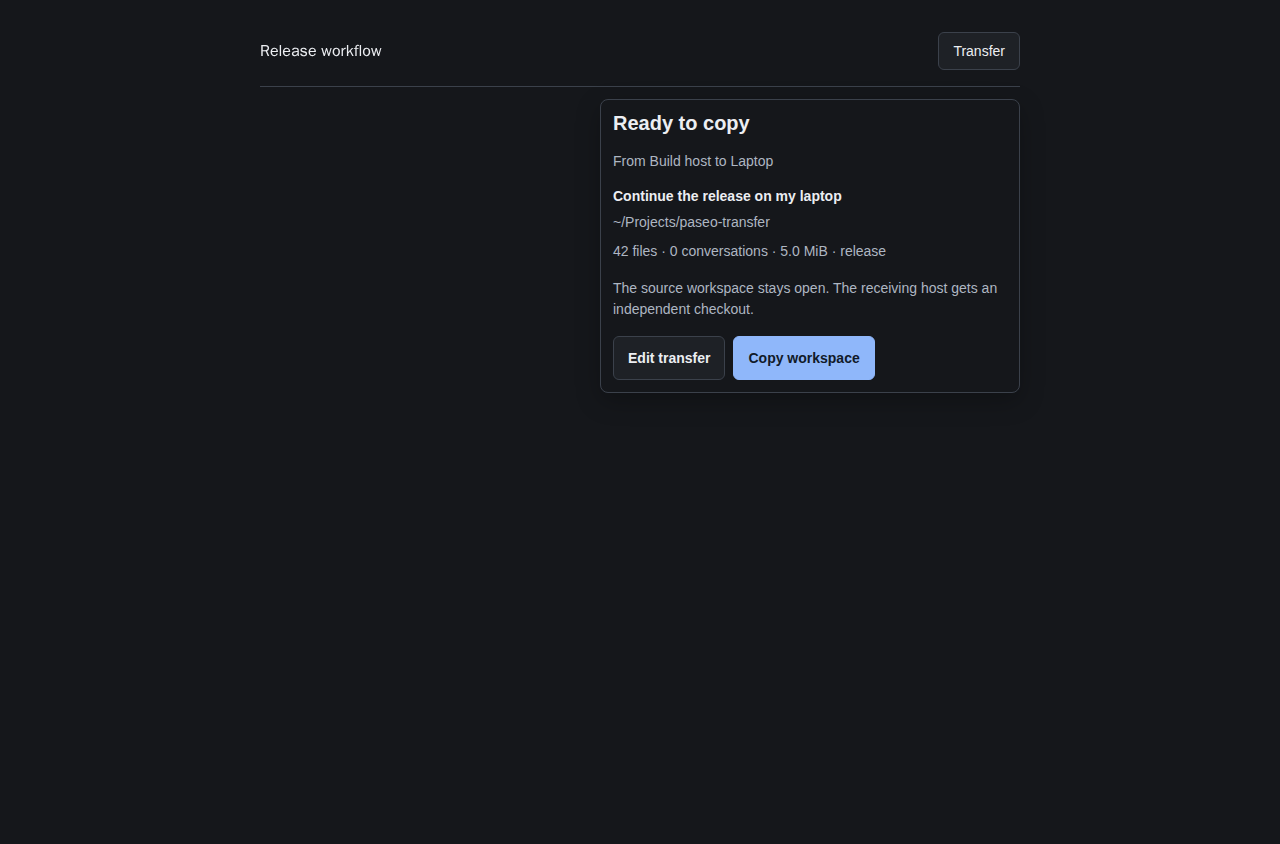
Transfer copies or moves workspaces between hosts with Git history, local changes, untracked files, and saved Claude or Codex conversations. Press Transfer at the top right of a workspace, choose a receiving host and a new directory, and review the preview before starting. The sidebar is hidden by default; enable it in plugin settings or use Command Center for the full screen and incoming transfers.
Both hosts need Paseo 0.14.0 or newer, Node 22 or newer, Git, and Linux, macOS, or WSL. Connect both hosts in Paseo, with Transfer 2.0.0 or newer installed on each and their daemons running. The receiving host needs its own provider CLIs and credentials. Stop running agents before transferring.
Connected transfers use your existing authenticated Paseo connections, with hosts shown by name and a sole available destination selected automatically. No extra pairing or SSH configuration is needed. Use SSH remains available for a host without the plugin, using normal SSH keys and host-key verification. Each SSH request sends the plugin’s bundled transfer worker to the selected host and runs it with that host’s Node executable; it does not install a package there. Provider credentials, MCP settings, launch settings, and Git-ignored files stay behind. Copy keeps the source; Move archives it through Paseo after verification, which can remove a managed source worktree. Move refuses worktrees containing ignored files. Copies are independent checkouts.
Occupied destinations, changed previews, unsafe paths, unsupported conversations, and submodules are refused. Transfers are limited to 128 MiB and 20,000 files. Transfer specific project folders; home and system directory workspaces are refused before scanning protected folders. Keep the app open and both hosts connected during a connected transfer. Closing the popup does not stop it; registered partial transfers are kept for recovery. The screenshot uses fixture workspace and host data.
Interactive Claude and Codex sessions receive tools to list configured SSH/Tailscale destinations and read an existing transfer’s progress by run ID. Discovery reads SSH configuration and local Tailscale status; those host identifiers and transfer results go to the calling agent and its model provider. The tools do not start transfers, connect to destinations or archive workspaces; preview and confirmation remain in the Transfer screen. The session label plugin-tools/enabled: "false" disables them. Display settings can hide the workspace header button and sidebar independently, while Command-K still opens the overview and settings.