
Cross Daemon
Let Paseo agents on different daemons list, message, start and archive each other.

该插件的概览尚未翻译为你的语言,因此以英文显示。
Cross-daemon lets agents on one Paseo daemon list agents and workspaces, read agent activity, send messages, and start and archive agents on other participating daemons. Every participating daemon needs this plugin and Paseo 0.9.2 or newer.
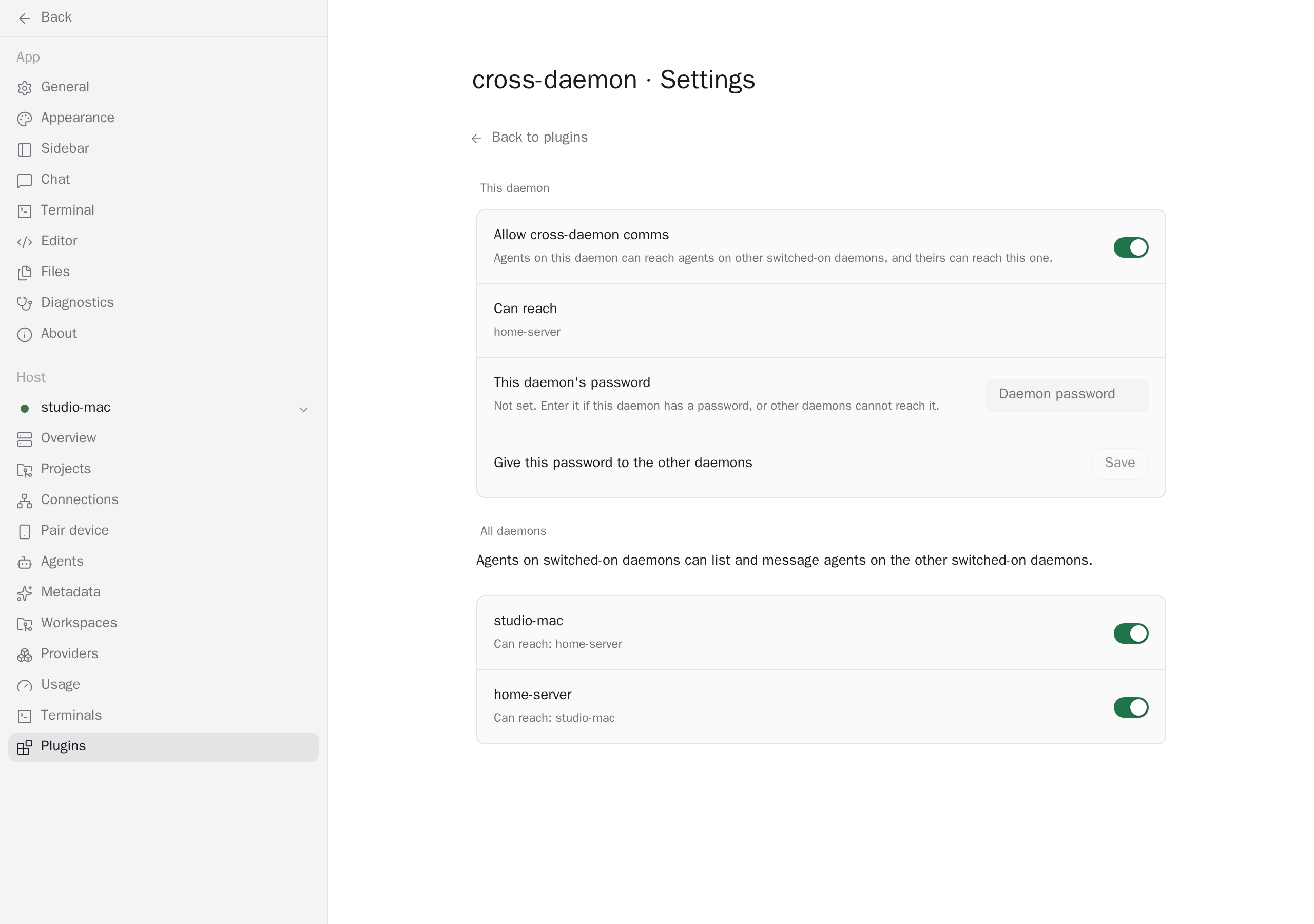
Open Settings → Plugins → cross-daemon → Settings. Switch on each daemon you want to connect, under This daemon or All daemons. Switches are off by default. Each switched-on daemon shares its pairing link with the other switched-on daemons, giving their agents access to its workspaces, agents and conversations. Only connect daemons you trust with that access.
For a password-protected daemon, enter its password under This daemon's password and choose Save to give it to the other enabled daemons. The plugin stores the password and peer links with owner-only permissions under plugin-data/cross-daemon/ in the Paseo home directory. Agents running as the same operating-system user can still read those files. Each remote CLI call receives only its destination's password through an environment variable. Forget stops sharing the saved password; peers drop it at their next successful sync.
The app syncs peers on connection, after a switch change and every minute while open. A daemon keeps its last peer list when the app closes, and an unresponsive peer stays listed until it answers a later sync. Switching a daemon off clears its own peers. Peer lists and shared passwords can therefore remain stale while clients or daemons are offline.
Every new Claude, Codex or OpenCode agent gets the cross-daemon MCP tools. Earlier agents do not get them, and a switched-off daemon has no peers to reach. Claude and Codex tools are pre-approved, including remote creation and archiving; OpenCode tools are not pre-approved. Prompts and returned activity or finish messages pass between the selected daemons and their agent providers.
Messages to idle agents are delivered immediately. Messages to working agents wait in a persistent queue until they are idle. A send cut off by a restart or timeout is not retried, because delivery is uncertain. Finish notifications include the remote agent's last message and also wait until the sender is idle. The calling tool process supplies the sender's agent ID; without it, messages are labeled as from a user or script and have no reply instructions or finish notice. Message and tool-call timeline rows expand to show their text.
create_agent starts work in an absolute directory on the selected daemon, joining its existing workspace for that directory or creating a local workspace. It defaults to the auto permission mode; callers can select another mode and provider. The first prompt is limited to 30,000 characters and passes on the CLI command line, where other operating-system users can see it. The tool reports an uncertain start after a timeout rather than retrying automatically.
archive_agent accepts only idle agents recorded as created by this plugin on the calling daemon. It also tries to archive the workspace it created, which closes that workspace's agents and terminals. It keeps the workspace if another listed agent has the same directory, or if the daemon returns 200 agents and the list could be incomplete. The CLI check uses directories rather than workspace membership: an agent placed in the workspace with a different directory can be archived with it. Workspaces the plugin did not create are kept.
This plugin entry was imported from paseo.cafe.