
GSD Observer
Shows a GSD project's planning state and agent usage as a read-only board.

该插件的概览尚未翻译为你的语言,因此以英文显示。
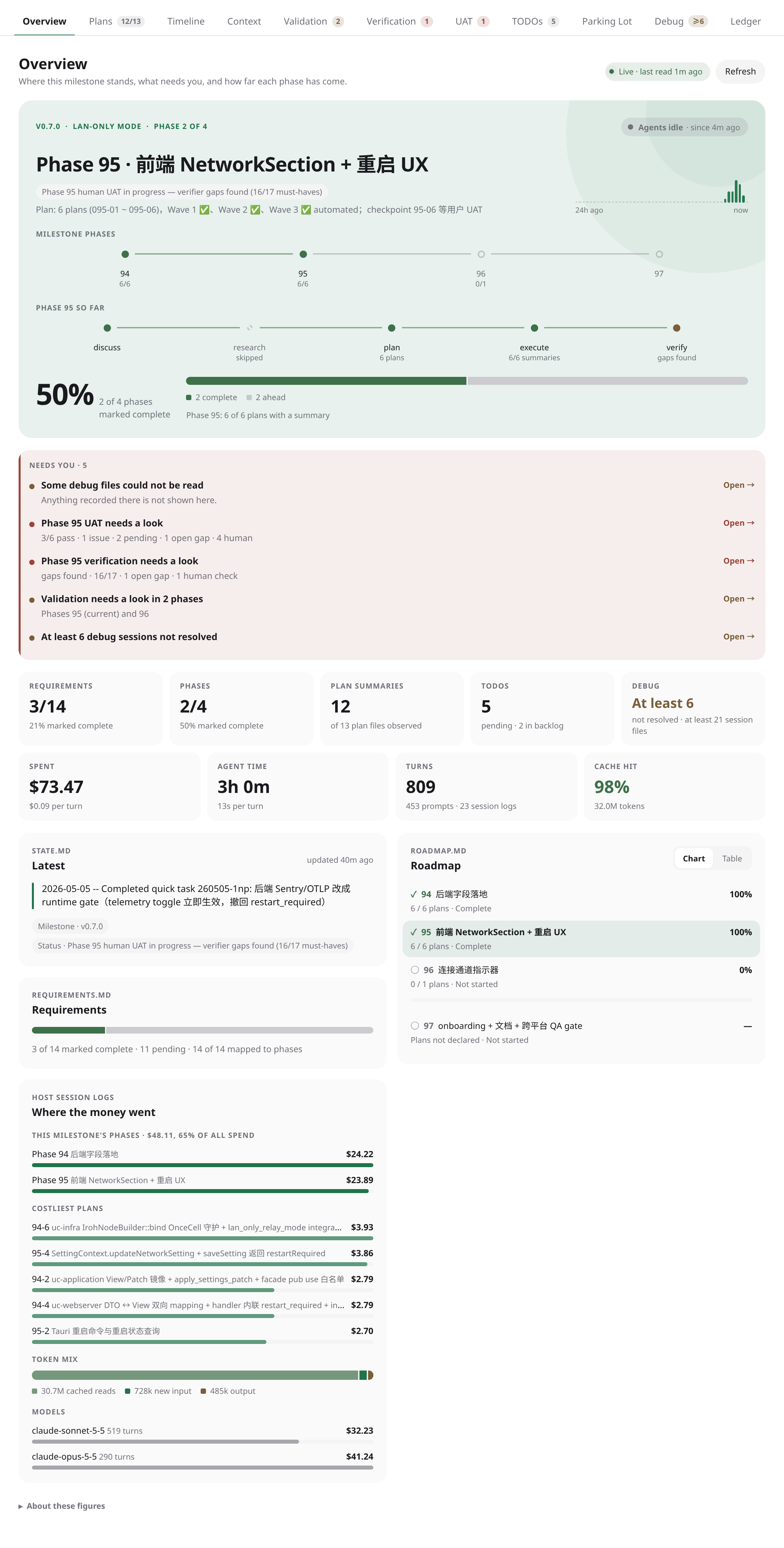
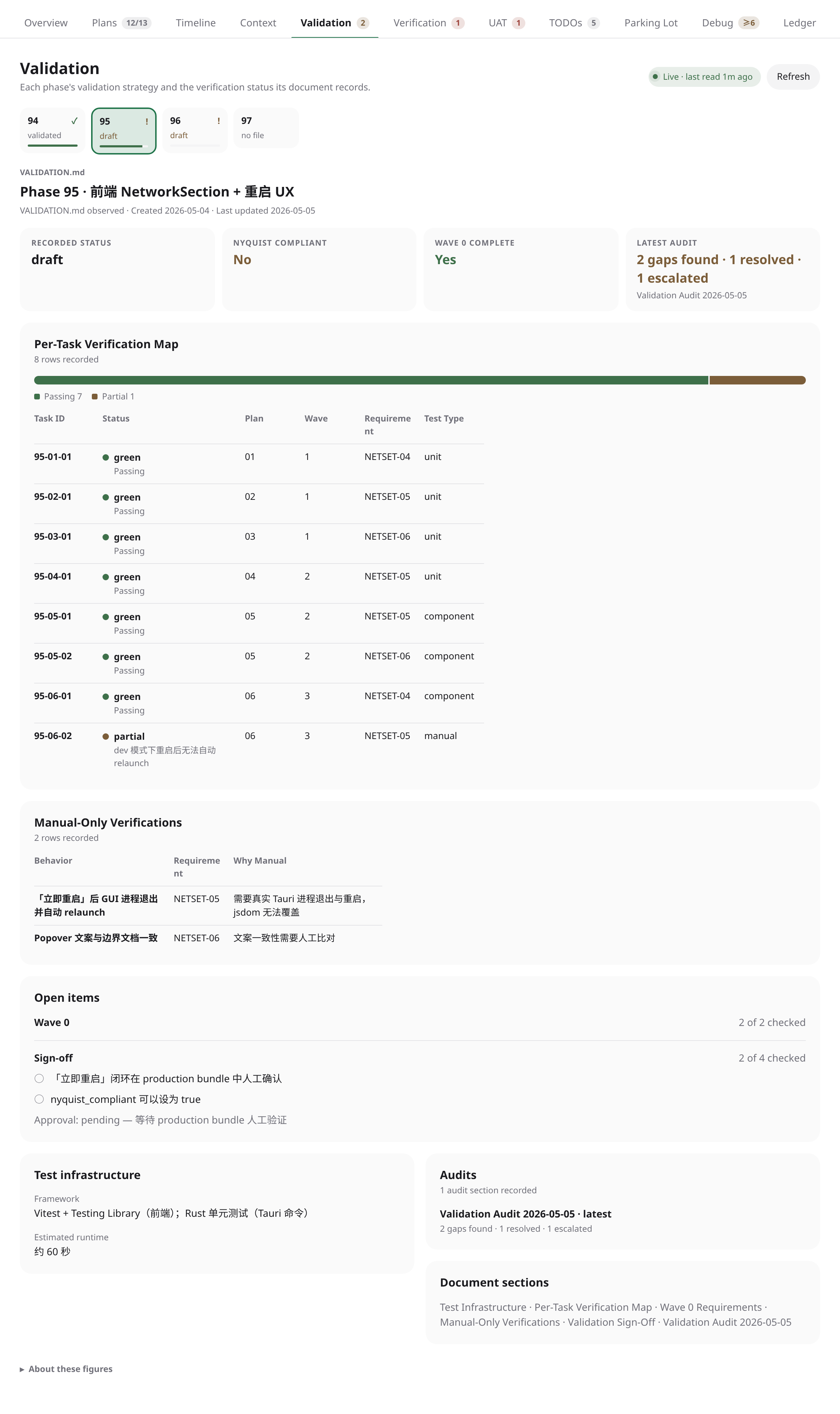
GSD Observer shows the state of a GSD project as a read-only board in a workspace panel. It reads GSD Core projects (.planning/) and GSD Path projects (.project/), from the upstream package or a fork. It does not run GSD, create worktrees, merge, or write to planning files.
Open a GSD workspace and select Open GSD Board from its workspace panels.
What it shows
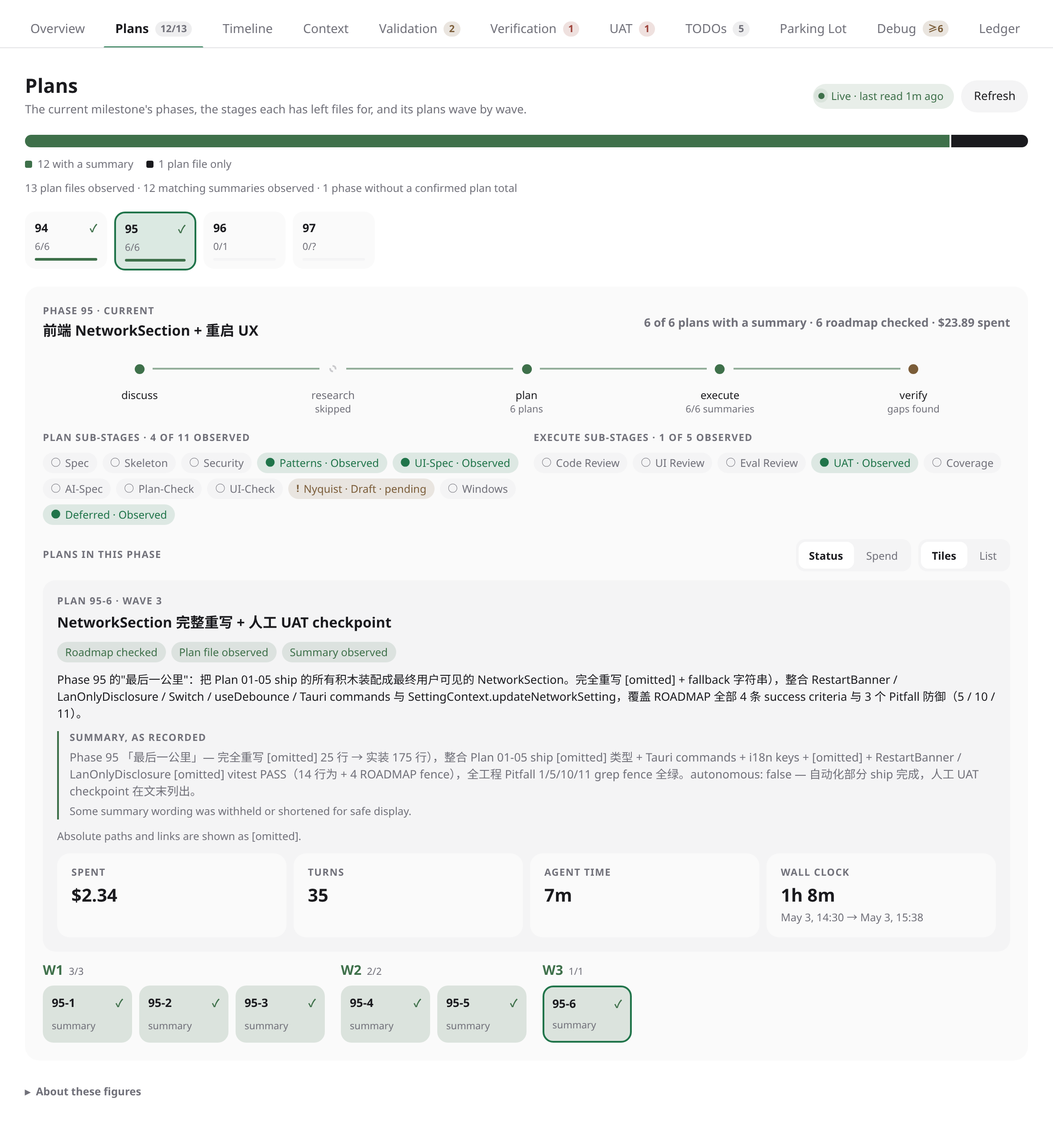
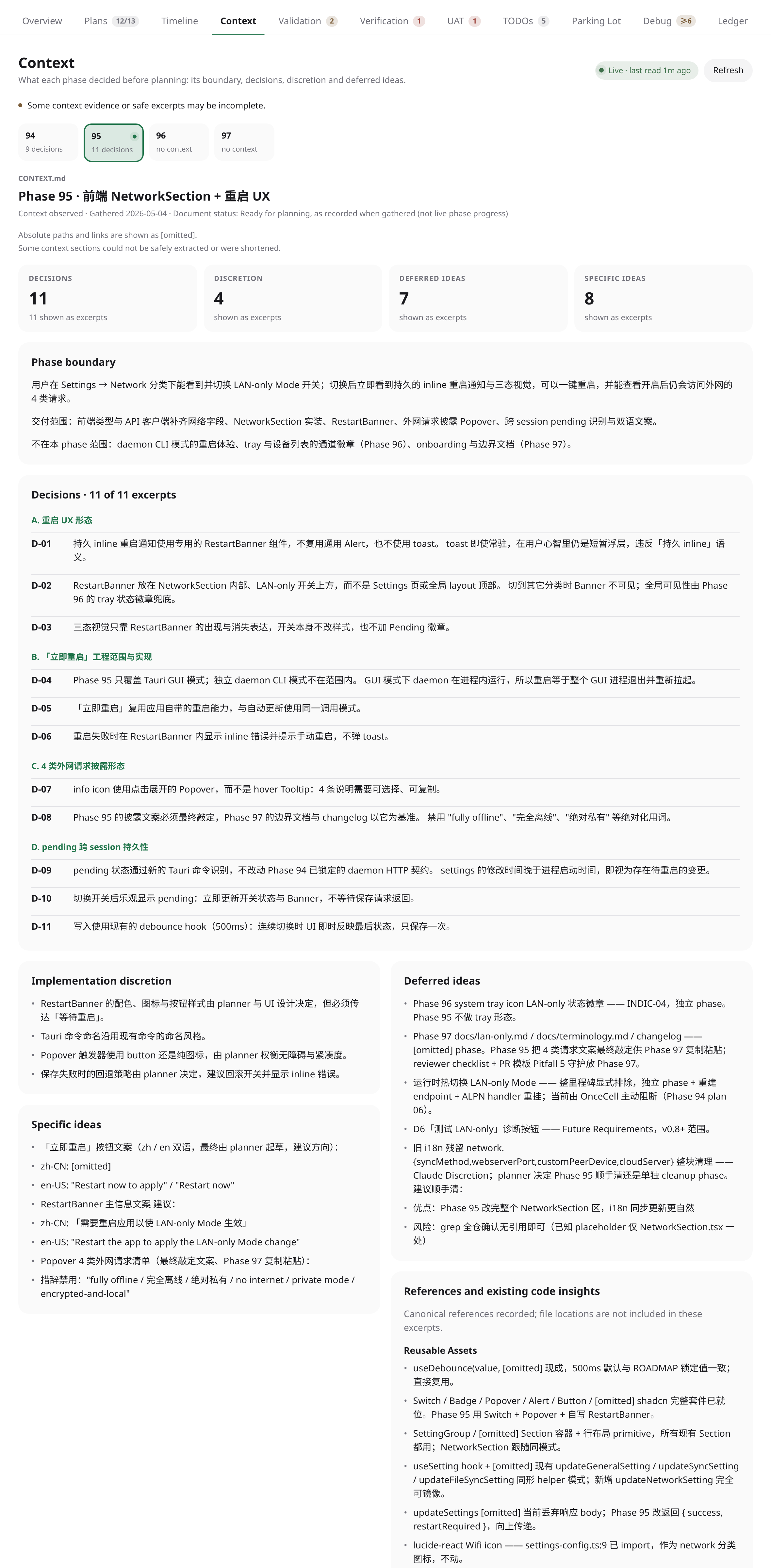
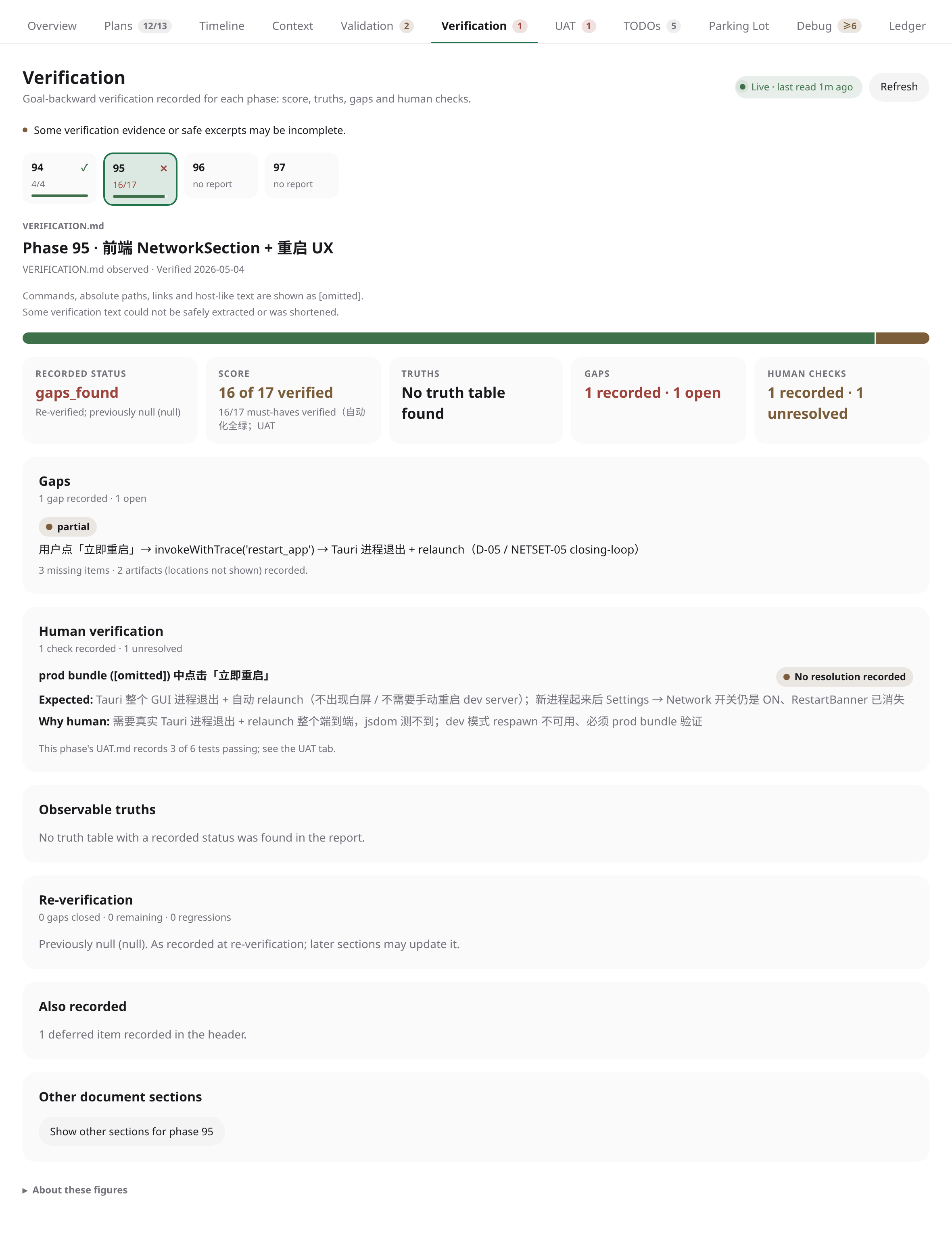
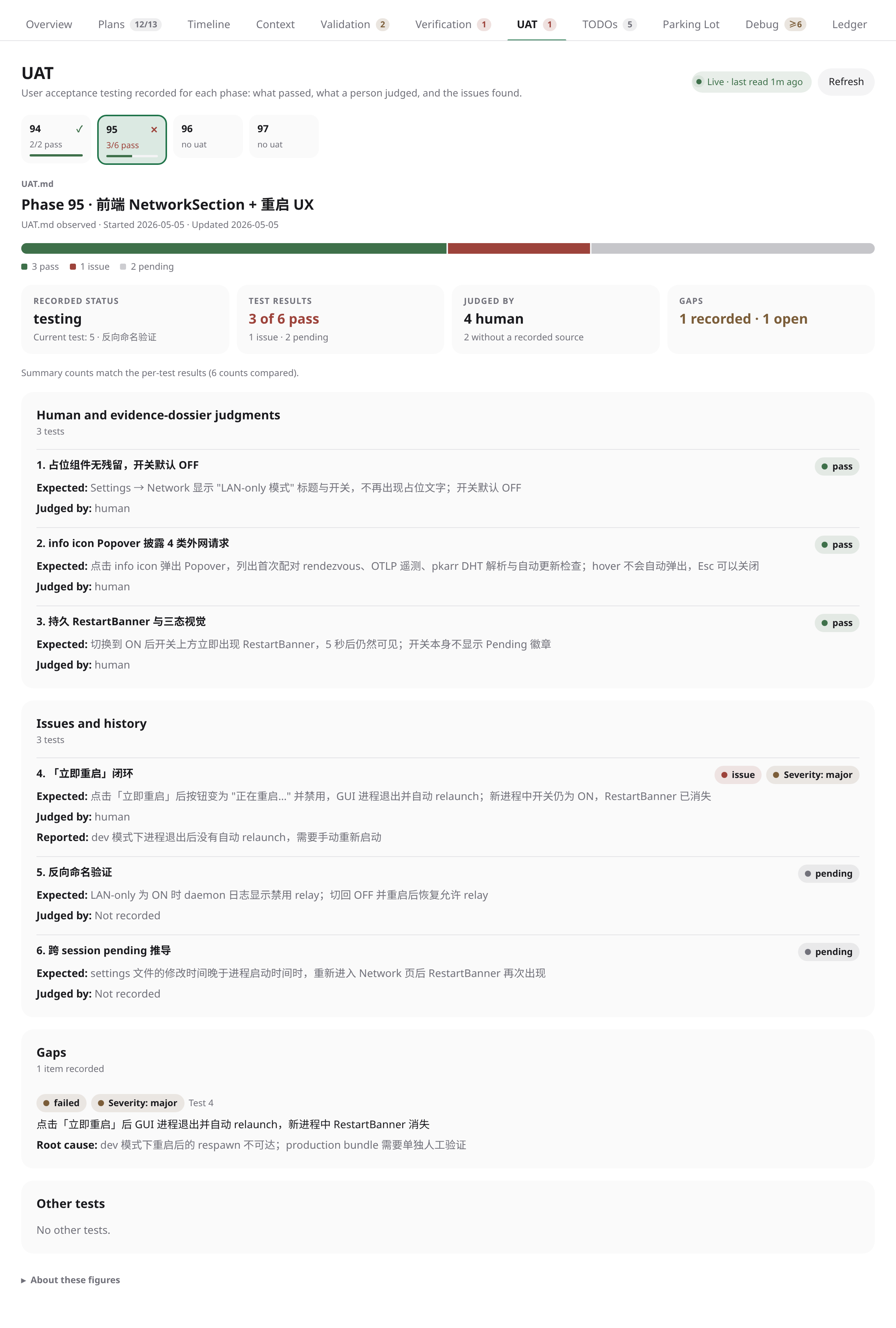
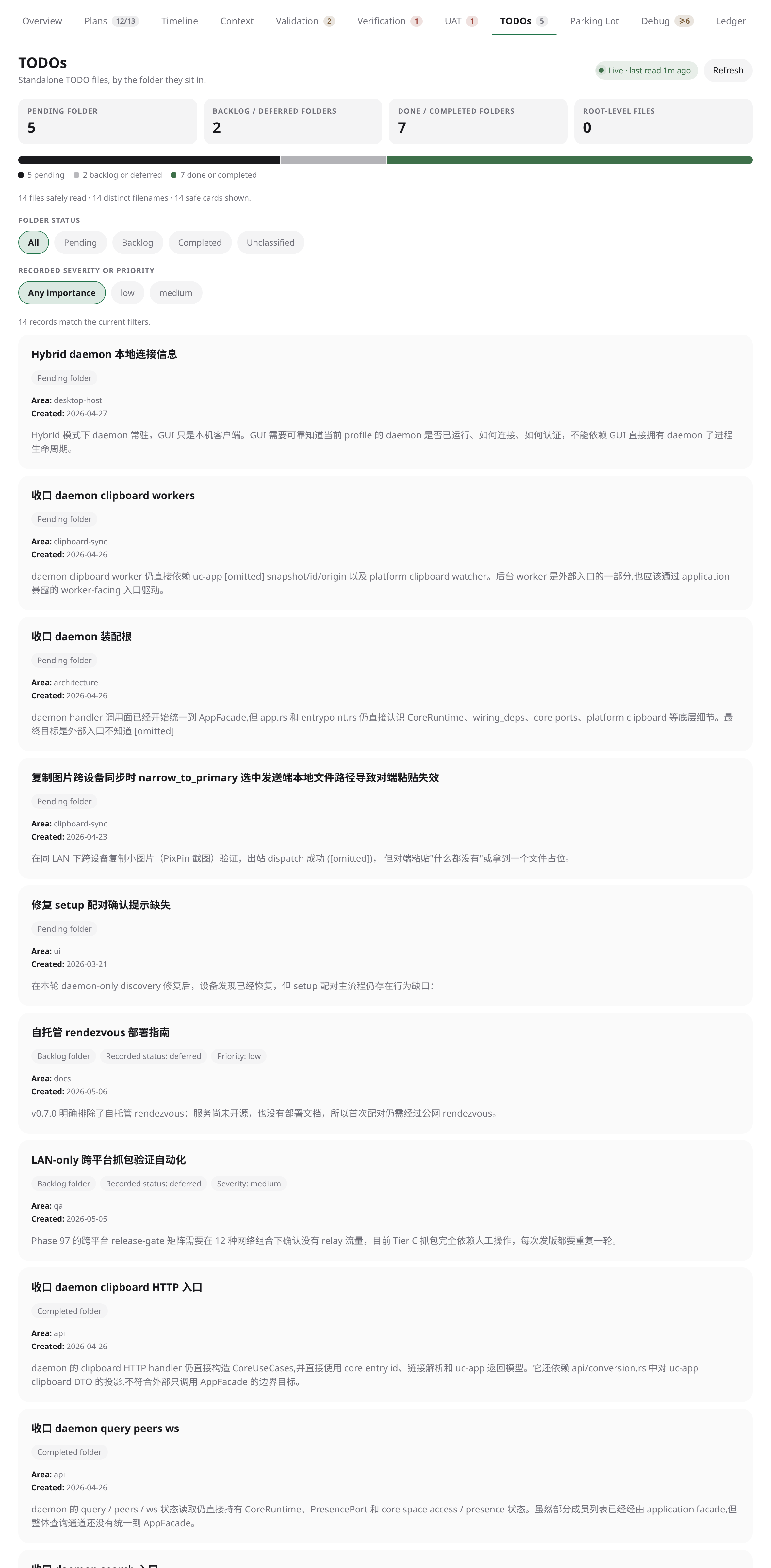
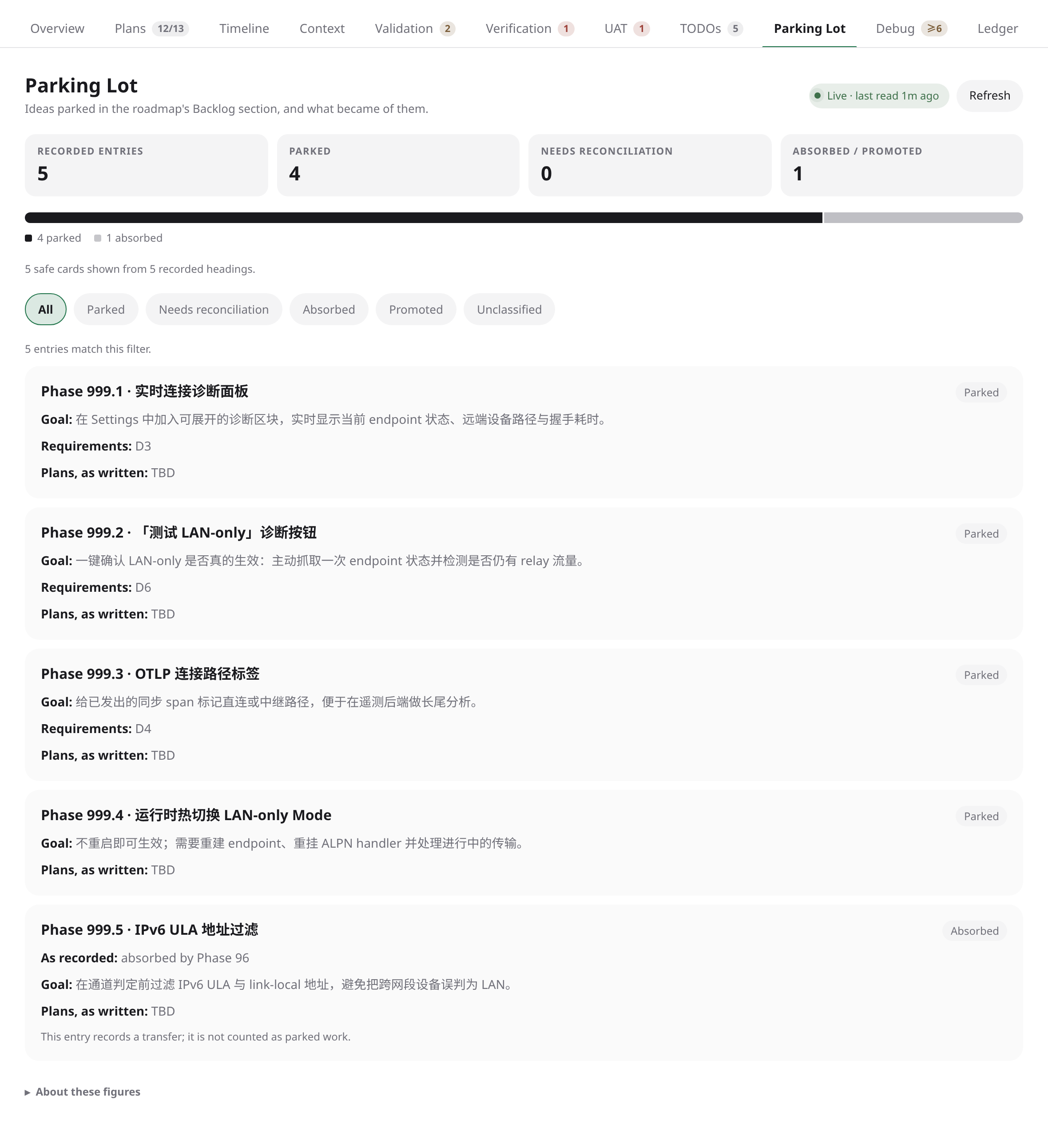
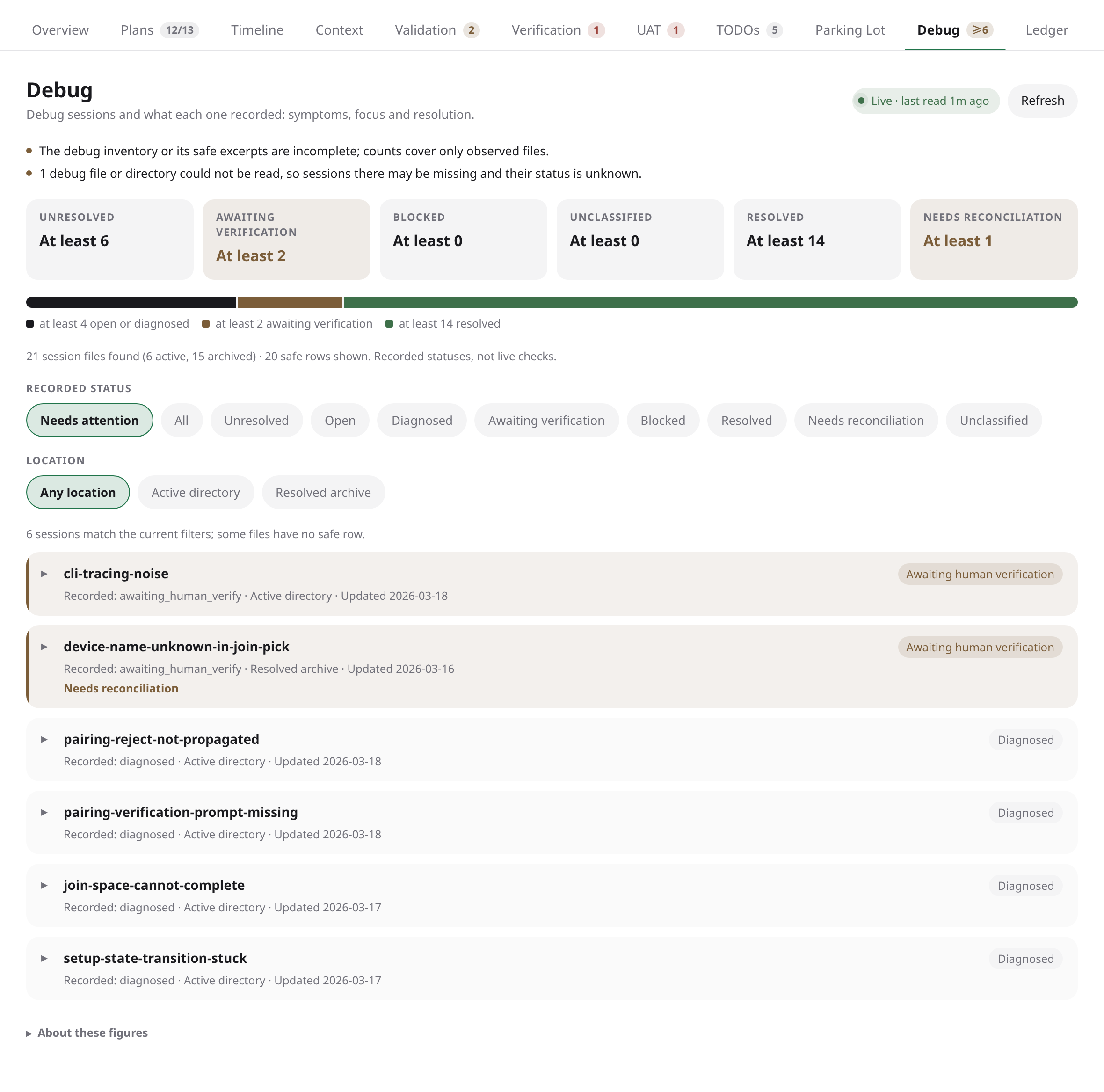
For a GSD Core workspace, the tabs are Overview, Plans, Timeline, Context, Validation, Verification, UAT, TODOs, Parking Lot, Debug and Ledger. The overview shows the current phase and its way through discuss, research, plan, execute and verify, milestone progress, what needs you (UAT, verification and validation needing a look, unresolved debug sessions, an agent waiting for input), the roadmap and where the money went.
For a GSD Path workspace, the tabs are Overview, Tasks, Timeline, Reviews, Roadmap, Questions and Ledger: the current milestone's place in the pipeline, its tasks wave by wave, review cycles and their verdicts, program milestones, open questions and host usage.
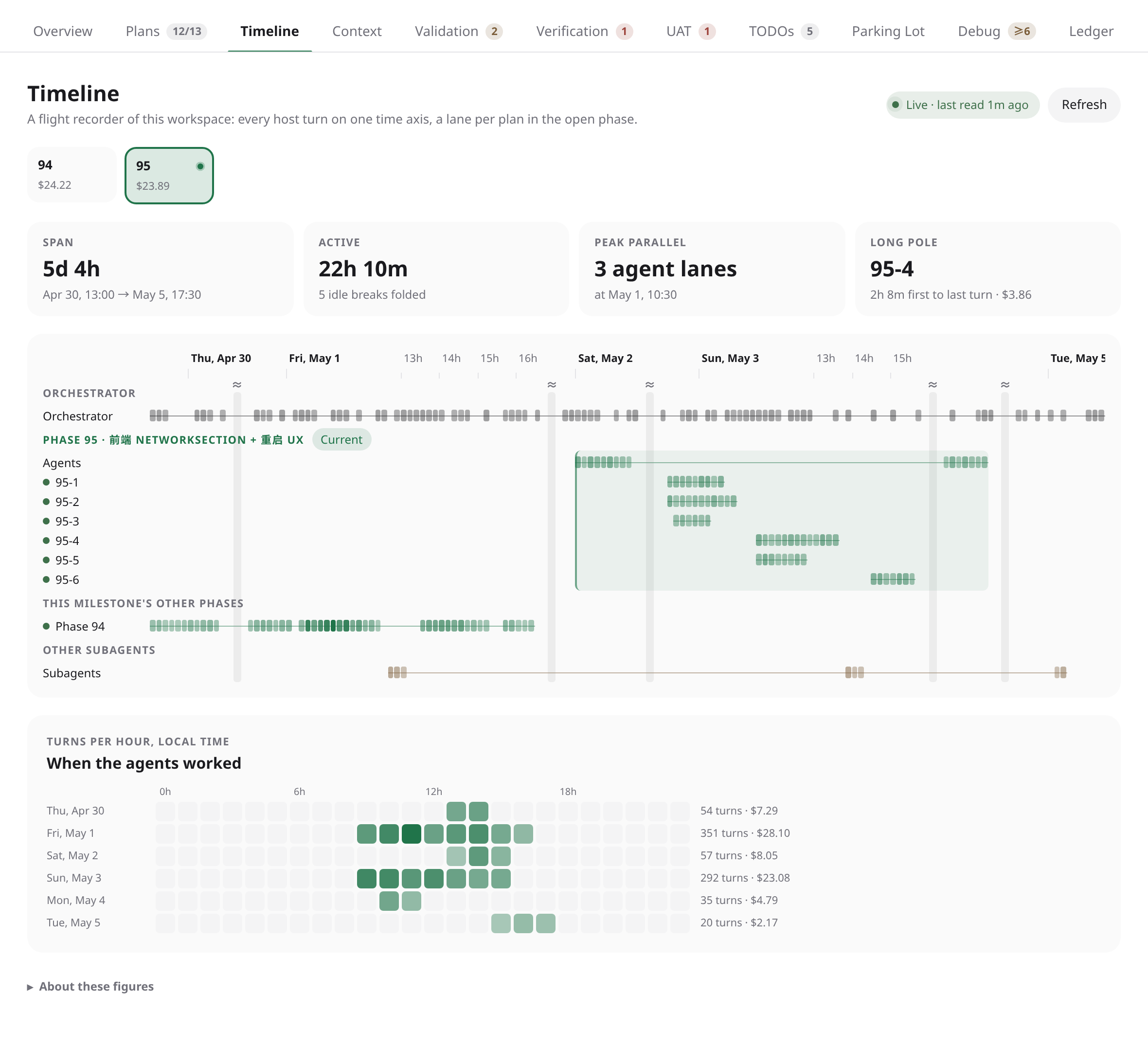
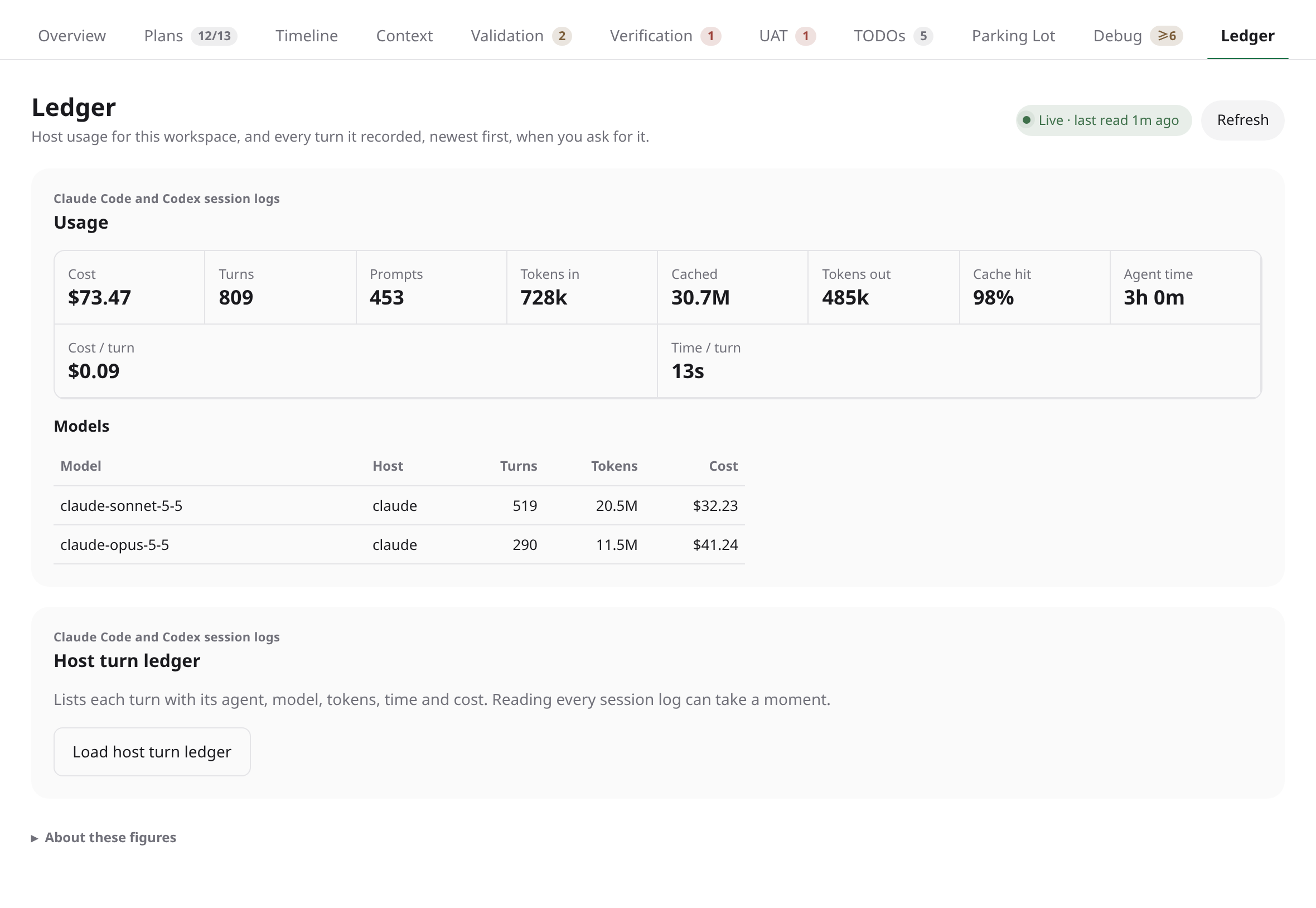
The Timeline places every Claude Code and Codex turn recorded in the workspace on one time axis, with a lane per plan or task. The Ledger lists host usage, tokens and costs per model and per turn, counted the way the GSD Path daemon counts them.
Statuses are shown as the files record them. Where sources disagree, the board flags the disagreement and does not pick one. It never infers completion from a process, log, timestamp or absent file. When watched files change, the board reads the evidence again and says what changed.
Setup
Requires Paseo 0.11.0 or later and npm on the daemon host's path, which Paseo uses to install the plugin's dependencies. Costs use the price table in the GSD Path daemon's configuration (~/.gsd-path/daemon.json, or GSD_DAEMON_CONFIG); without one, tokens are shown and costs are not. There are no settings or accounts.
Data access
All file access happens in the daemon. The plugin reads a fixed allowlist of planning files inside the workspace's real .planning or .project directory, with per-file and per-snapshot size caps. Symlinks, files replaced while being read, oversized or malformed input and anything resolving outside that directory are refused and shown as warnings.
For host usage, it reads Claude Code session logs under ~/.claude/projects and Codex session logs under ~/.codex/sessions, Orca's Codex homes and any session folders the GSD Path daemon's configuration names. Only logs whose recorded working directory is inside the workspace are read in full. From them it keeps numbers, model names, timestamps and the GSD command, role, plan or task each session works on. Prompt and response text, tool output and paths stay in the daemon.
The client receives labels, counts, usage figures and warnings, not raw file contents, absolute paths, prompts or secrets. The plugin makes no network requests, writes nothing, and has no terminal, agent, lifecycle or merge action.
Limitations
- Only the
gsd-path/v2format is read for GSD Path; a later format is reported as unsupported. - Very large projects lose their oldest phases' evidence first when a snapshot reaches its size budget.
- GSD Core records no ship dates, so its usage is not split by milestone. Codex encrypts the tasks of GSD agents other than executors, so on Codex those agents count as other subagents.
See the README for the full description of each tab and the exact read limits.