
Merge celebration
Celebrate GitHub pull request merges, then dismiss or archive the workspace. Desktop and browser clients only; no app changes required.

该插件的概览尚未翻译为你的语言,因此以英文显示。
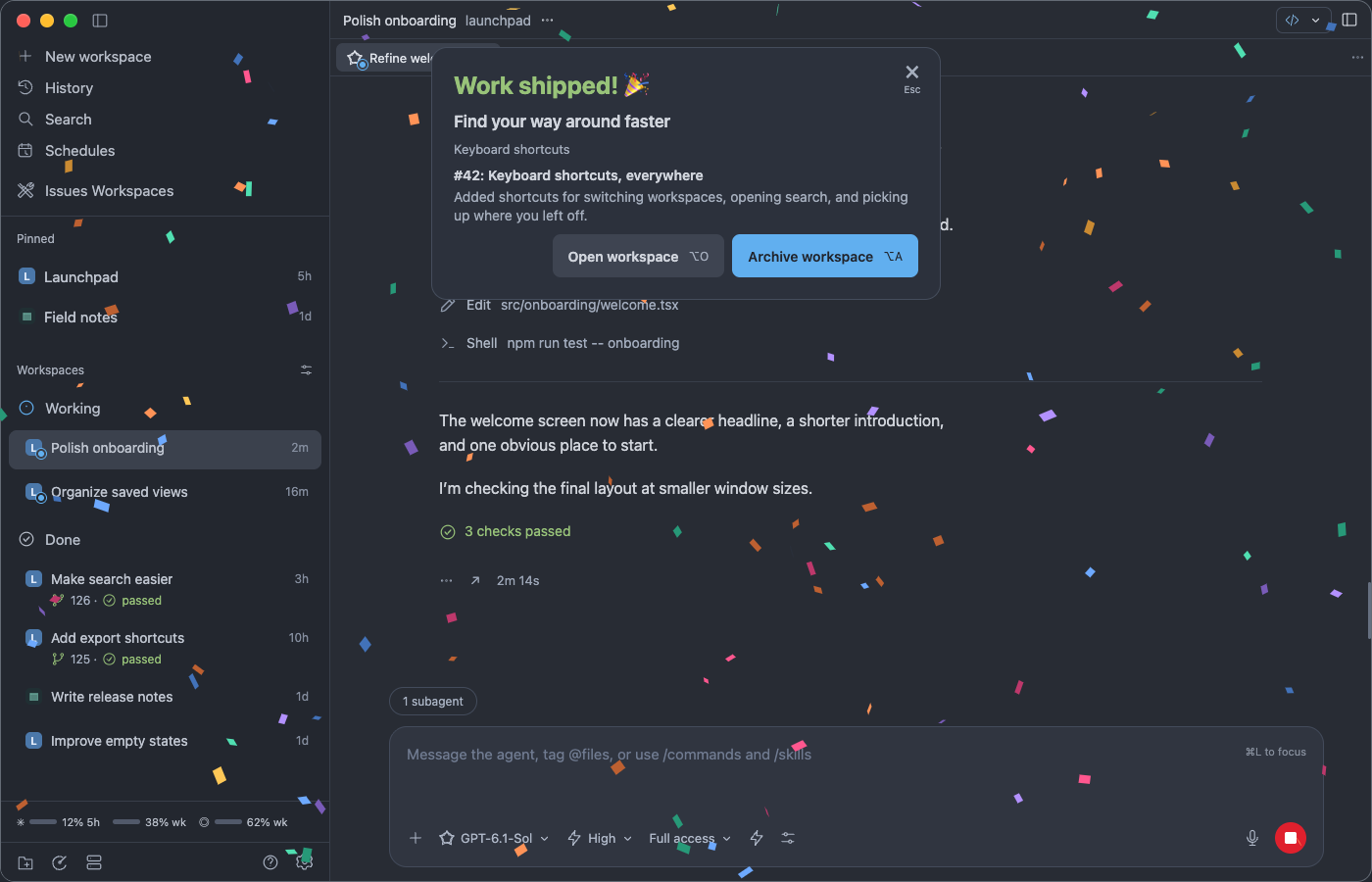
Merge celebration plays colorful confetti across your current Paseo desktop or browser window when Paseo detects that a workspace’s GitHub pull request has merged. A recap shows the PR title and excerpts from up to three linked closing issues. Confetti keeps falling while the recap is open. Use the × control at the top right or press Esc to close the celebration and keep the workspace. Choose Open workspace to navigate to it and close the celebration, or Archive workspace to close the celebration immediately and archive it. Failed archive requests show a separate dismissible error dialog. Option/Alt+O opens the workspace and Option/Alt+A archives it. Shortcuts pause while editing text; workspace actions stay disabled in previews and during archival. Each action stops new confetti and lets the remaining pieces drift offscreen. Events received while the same connected window is hidden wait for visibility before animating. Preview merge celebration is available in the Command Center.
Settings → Plugins → Merge celebration lets you turn live celebrations off, pick the headline verb (shipped, landed, merged, committed or deployed) and emoji, hide the issue recap, and turn confetti off or change its size, speed and amount. Settings are saved on the daemon and shared by every client connected to it.
Supports stock Paseo 0.11.2 and later desktop/browser clients and daemons, including a 0.12.0 app connected to a 0.11.2 daemon. No app patch, rebuild or daemon restart is needed. Git and an authenticated GitHub CLI must be available on the daemon machine. Native iOS and Android clients do not contribute celebration UI. The fullscreen layer uses browser-specific mounting from the plugin; Paseo does not provide a portable global overlay API.
Merge detection follows Paseo’s GitHub status refreshes. Existing merged PRs in the initial workspace snapshot stay silent, as do open, closed without merging, mismatched and unverifiable PRs. To choose archival from the celebration, turn off Paseo’s automatic archival after merge. Verified celebrations wait up to 24 hours for a desktop or browser client to display them, including after a disconnect. Up to 100 pending events are held in memory; a plugin reload or daemon restart clears them. Displayed celebrations do not replay on reconnect. Reduced motion disables falling confetti. Repository and issue reads go through the GitHub CLI to github.com using your existing credentials. Issue recaps use plain text excerpts, with no AI service.